


Unlocking Worlds on the Go: A Dive into Eaglercraft
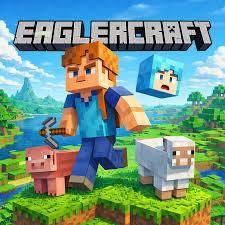
Sandbox building games have captured the hearts of millions over the past decade. The freedom to explore infinite landscapes, mine valuable resources, and construct whatever your imagination dreams up never really gets old. However, setting up game clients, dealing with heavy launchers, or playing on restricted devices like Chromebooks or school laptops can sometimes be a hassle. That is where Eaglercraft comes into play.
By running entirely within a standard web browser, it allows you to dive straight into a nostalgic, classic block-survival world with zero installation required. Here is a quick guide on how to get started and make the most of your adventure.
Understanding the Gameplay
If you have ever played a classic voxel sandbox game, you will feel right at home. You spawn in a procedurally generated world filled with trees, mountains, caves, and wildlife.
Your journey usually follows a familiar and rewarding loop:
- Gather Resources: Start by punching trees to collect wood, which you can turn into wooden planks and craft your first crafting table.
- Craft Tools: Upgrade quickly from wooden tools to stone and iron. Better pickaxes allow you to mine deeper into the earth for rare minerals like gold, redstone, and diamonds.
- Survive the Night: When the sun sets, monsters emerge. You will need to build a simple shelter, craft a bed, and place torches to keep hostile mobs away.
- Explore and Build: Once your basic survival is secured, you can explore massive cave systems, farm crops, breed animals, or build intricate bases.
The controls are completely standard for PC gaming: use WASD to move, Spacebar to jump, Shift to sneak, and your Mouse to look around, mine, and place blocks. Pressing E opens your inventory and crafting grid.
Tips for the Best Browser Experience
Because the game runs inside your browser via modern web technology, keeping a few practical tips in mind will ensure smooth performance:
- Use Fullscreen Mode: Press F11 in your browser to enter true fullscreen. This locks your mouse pointer inside the game window and prevents accidental tab-switching during intense moments.
- Tweak Video Settings: If your frame rate drops on low-end hardware, open the options menu and lower your render distance to 4–6 chunks, turn off smooth lighting, and set graphics to "Fast."
- Back Up Your Worlds: Browser storage can occasionally be wiped if you clear your browser cache. Make a habit of exporting and saving your favorite world files to your local drive.
- Try Multiplayer: You don't have to play alone. You can connect to public community servers or play with friends by simply pasting a compatible server IP into the multiplayer menu.
Final Thoughts
Browser-based gaming has come a long way, and experiencing a full-featured sandbox world without downloading dozens of gigabytes is remarkably refreshing. Whether you want to kill twenty minutes during a study break or build a massive castle from scratch, trying out Eaglercraft offers a convenient and nostalgic way to play. Just open a tab, grab your pickaxe, and start digging!

 English
 French
 Spanish
 Portuguese
 Deutsch
 Turkish
 Dutch
Dutch
 Italiano
 Russian
 Romaian
 Portuguese (Brazil)
 Greek
Greek