


Why IPTV Channels Change Slowly and What Can Improve Switching Speed
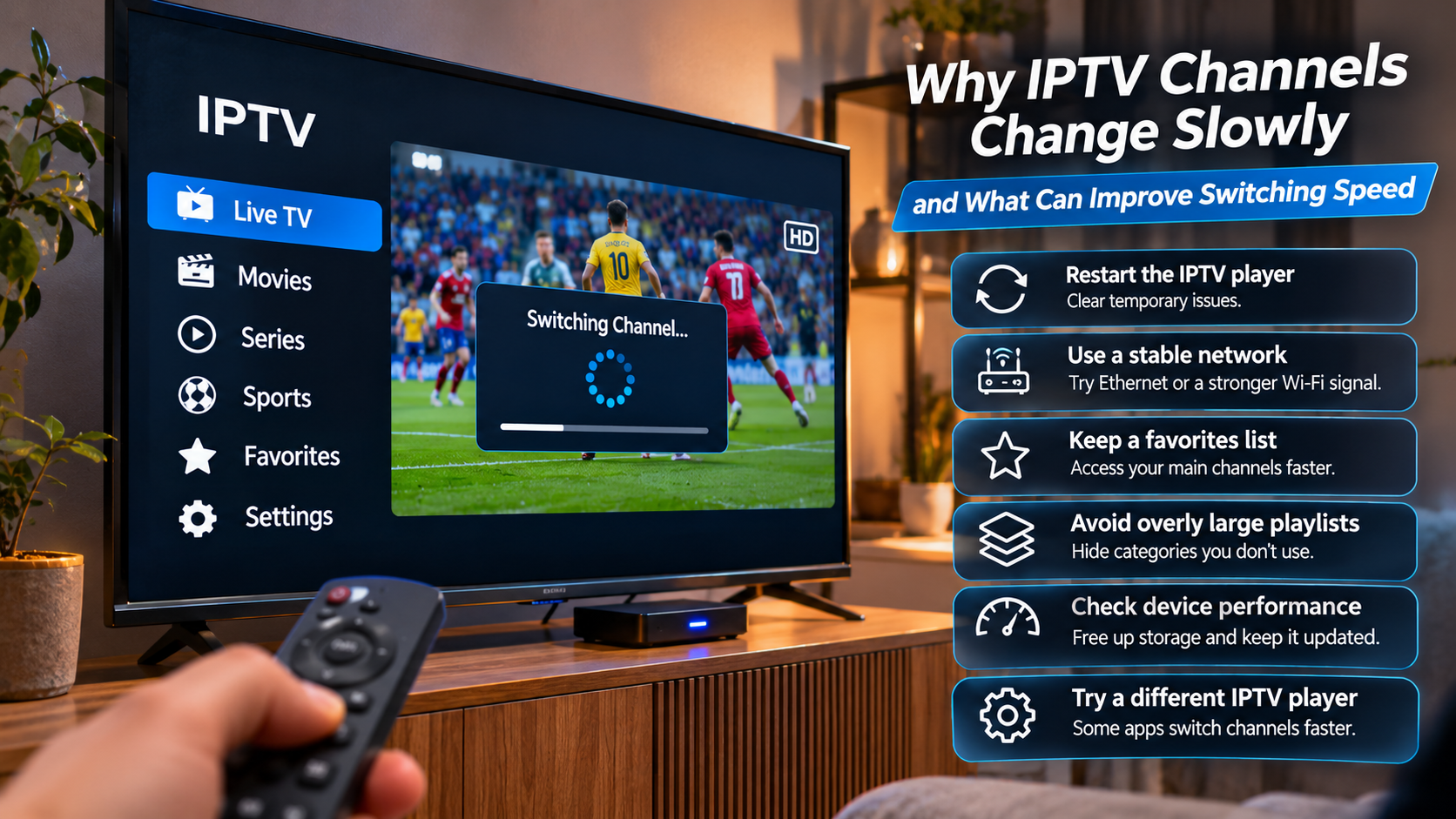
One of the small things that can make IPTV feel frustrating is slow channel switching. You press the remote, the screen goes black, a loading circle appears, and several seconds pass before the next channel starts.
This delay is sometimes called channel-change time or zapping time.
A short pause between IPTV channels is normal because the player has to stop one stream, connect to another, receive enough video data, and begin decoding it. When the delay becomes unusually long, however, several parts of the setup may be involved.
The IPTV player, streaming device, playlist size, network quality, video format, and even EPG activity can all affect how quickly a new channel appears.
A Fast Speed Test Does Not Tell the Whole Story
It is easy to assume slow channel switching means slow internet.
That is not always true.
You might have a fast broadband connection and still wait several seconds whenever you change channels.
IPTV does not only need bandwidth. It also needs a quick and stable connection to each new stream.
Things such as latency, network stability, DNS response, and the source itself can affect how quickly playback begins.
This is why downloading a file quickly does not automatically guarantee instant IPTV channel changes.
Compare Several Channels First
Before changing any settings, try switching between different types of channels.
For example, test:
-
A local channel
-
A sports channel
-
A movie channel
-
A news channel
If only one or two channels take a long time to open, the problem may be related to those streams.
If every channel is slow, it makes more sense to investigate the player, device, or network.
This simple comparison can save a lot of unnecessary troubleshooting.
Some Streams Naturally Start Faster Than Others
Not every IPTV stream is encoded in the same way.
Two channels can have different:
-
Resolutions
-
Bitrates
-
Video codecs
-
Audio formats
-
Streaming configurations
A lightweight HD stream may start almost immediately while another high-bitrate stream takes longer.
That does not necessarily mean something is broken.
The important question is whether the delay is consistent and reasonable or has suddenly become much worse than before.
Restart the IPTV Player
If channel switching used to be quick but has gradually become slower, restart the application.
IPTV players can remain open for days or weeks, particularly on Smart TVs and streaming boxes.
Over time, cached information and background processes may affect responsiveness.
Close the player completely and reopen it.
Then test the same channels again.
If switching becomes faster, the issue was probably temporary.
Restart the Streaming Device
If restarting the application does not help, restart the entire device.
This can be useful with:
-
Android TV
-
Google TV
-
Apple TV
-
Fire TV
-
Smart TVs
-
IPTV boxes
A restart clears temporary memory and reloads network and video components.
It is especially worth trying when menus feel slow in addition to channel changes.
Large Playlists Can Slow Down Some Devices
A playlist containing a very large number of channels, movies, series, and categories can place more demand on weaker hardware.
This does not always affect actual playback, but it can make the interface slower.
You may notice:
-
Delayed category loading
-
Slow search
-
EPG lag
-
Longer response after pressing a channel
-
Slow return to the channel list
If the IPTV player allows it, hide categories you never use.
A cleaner playlist can make navigation easier and may reduce the amount of data the player needs to process.
Favorites Can Make Everyday Viewing Faster
Even if the full playlist is large, you probably watch only a small number of channels regularly.
Create a favorites list.
For a Nordic household, that could include:
-
Swedish television
-
Nordic news
-
Sports
-
Entertainment
-
Movies
-
Children's channels
This does not necessarily make the underlying stream start faster, but it reduces the time spent navigating the interface.
That alone can make the IPTV experience feel much more responsive.
Check Whether the EPG Is Updating in the Background
Electronic Program Guide data can be surprisingly large.
Some IPTV applications refresh the EPG while you are watching television.
On a powerful device, you may never notice.
On an older Smart TV or inexpensive streaming box, background EPG processing can make the interface temporarily sluggish.
If channel changes become slow at the same time every day, check whether the player is refreshing guide data.
Where supported, schedule large EPG updates for a quieter time.
Try Ethernet as a Comparison
Wi-Fi is convenient, but channel switching requires the player to establish a new stream connection each time you move to another channel.
An unstable wireless connection can make that process slower.
If possible, connect the main IPTV device to the router with Ethernet and test again.
You do not need to keep the cable permanently if it is inconvenient.
Use it as a diagnostic test.
If channels open noticeably faster over Ethernet, Wi-Fi quality may be contributing to the delay.
Check Wi-Fi Signal Where the TV Is Located
Do not rely on a speed test performed next to the router.
The television may be in another room where the signal is much weaker.
Walls, furniture, and distance can all affect performance.
Try testing the network close to the IPTV device.
If the connection improves significantly when you move closer to the router, the problem is more likely to be local Wi-Fi coverage.
5 GHz Can Feel Faster at Short Range
When the television is close to the router, 5 GHz Wi-Fi can sometimes provide a faster and cleaner connection than 2.4 GHz.
The trade-off is range.
For a television several rooms away, 2.4 GHz may actually be more stable.
There is no universal best choice.
Test both bands if your router allows it and keep the one that performs more consistently at the device location.
DNS Can Affect Initial Connections, but Do Not Change It First
Every time the IPTV player connects to a new stream, it may need to resolve a server address.
DNS can therefore influence connection time in some situations.
However, DNS should not be the first thing you change.
Before touching it, check:
-
Whether other channels are slow
-
Whether Ethernet improves the issue
-
Whether another device behaves differently
-
Whether restarting the player helps
Changing DNS without evidence can complicate troubleshooting.
Try Another Compatible IPTV Player
Different IPTV players handle channel switching differently.
One application may buffer more data before showing video, while another starts playback sooner.
That can create a noticeable difference even with the same account and device.
If your service supports another legitimate player, compare them.
Look at:
-
Channel start time
-
Menu responsiveness
-
EPG performance
-
Favorites
-
Subtitle handling
-
Remote navigation
The fastest player is not automatically the best, but switching speed is worth considering if you watch live television frequently.
Built-In Player Versus External Player
Some IPTV applications allow users to choose between an internal video player and an external one.
The internal player is usually better integrated with:
-
EPG
-
Favorites
-
Channel navigation
-
Catch-up features
An external player may sometimes handle certain video formats differently.
If one group of channels opens very slowly, testing another playback engine can be useful.
Use this as a comparison rather than immediately changing the entire setup.
Hardware Decoding Can Make a Difference
Advanced IPTV applications may allow hardware or software decoding.
Hardware decoding uses the streaming device's dedicated video hardware.
Software decoding relies more heavily on the processor.
For most television devices, hardware decoding is usually the more efficient option when supported correctly.
If your player provides this setting and certain channels are slow to begin, testing the alternative mode may reveal a compatibility issue.
Return to the original option if performance becomes worse.
Older Hardware Can Be the Real Limitation
An IPTV box that worked well several years ago may struggle with newer video formats or increasingly large playlists.
Signs that the hardware is becoming a bottleneck include:
-
Slow menus
-
Long app startup times
-
Delayed channel changes
-
Device overheating
-
Frequent application crashes
Before replacing anything, restart the device and remove unused applications.
Also check available storage.
A nearly full device can feel much slower than when it was new.
Storage Matters More Than It Seems
Smart TVs and streaming boxes often have limited internal storage.
When almost all of that space is used, applications may have less room for cache and temporary files.
Remove applications you no longer use.
If the device provides a storage-management screen, check what is taking up space.
Avoid deleting IPTV data unless you have your account information and know that it can be restored.
Heat Can Slow Streaming Boxes
A small media box placed behind a television may receive very little airflow.
After several hours of use, it can become warm enough to reduce performance.
If channel switching gets slower later in the evening, feel whether the device is unusually hot.
Move it into a more open position and make sure ventilation openings are not blocked.
Do not place streaming hardware directly on other heat-producing electronics.
Compare Another Device
One of the best troubleshooting tests is to open the same IPTV account on another permitted device.
For example:
-
Main TV changes channels slowly.
-
Tablet changes the same channels quickly.
That strongly suggests the problem is related to the television, player, or local connection rather than the streams themselves.
If both devices are equally slow on the same channels, the source or service connection becomes more likely.
Always respect the subscription's device and simultaneous connection limits when testing.
Nordic IPTV Setups Often Use Several Devices
Many households move between Smart TVs, Apple TV, Android TV, phones, and tablets.
That makes device compatibility an important part of the overall IPTV experience.
Viewers researching Nordic streaming options, supported hardware, and setup information may encounter Nordic IPTV King while comparing IPTV-related services for Sweden and the wider Nordic market.
Whatever service you use, testing performance on the actual device you plan to watch every day is more useful than relying only on a feature list.
Do Not Confuse Slow Channel Changes With Buffering
These are related but different problems.
Slow Channel Change
You select a new channel and wait several seconds before it begins.
Once it starts, playback is stable.
Buffering
The stream starts but repeatedly pauses during viewing.
Slow switching points more toward stream startup, player behavior, or device performance.
Repeated buffering points more toward connection stability, bandwidth, or the stream itself.
Knowing which problem you actually have makes troubleshooting much easier.
Check for Player and Device Updates
Software updates can improve:
-
Decoder compatibility
-
App responsiveness
-
Channel loading
-
Network handling
-
Remote performance
Check both the IPTV application and streaming-device operating system.
Use updates from official or trusted sources.
If the problem started immediately after an update, note that timing before changing unrelated settings.
A Simple Channel-Switching Troubleshooting Order
If IPTV channels suddenly take too long to open, use a logical sequence.
1. Test several channels
Find out whether the problem is general or stream-specific.
2. Restart the IPTV player
Clear temporary application issues.
3. Restart the device
Reload system and network components.
4. Test Ethernet
Check whether Wi-Fi is slowing the connection.
5. Compare another player
See whether playback behavior changes.
6. Check storage and device performance
Look for an overloaded or aging streaming box.
7. Test another permitted device
Determine whether the delay follows the stream or the hardware.
This approach gives you useful information at each stage.
Avoid Factory Resets Unless You Really Need One
A slow IPTV player does not usually justify resetting the entire television.
A factory reset can remove:
-
Applications
-
Wi-Fi settings
-
Accounts
-
IPTV configuration
-
Personal preferences
Use it only after simpler troubleshooting has failed and you have backed up the information you need.
Keep Account Details Private
If you ask for help with slow channel switching, do not publish:
-
M3U URLs
-
Usernames
-
Passwords
-
Portal details
-
Account screenshots
These details can function like credentials.
Describe the symptoms without exposing account access.
Use Legitimate IPTV Services
Channel-switching speed is a technical issue and does not determine whether specific content is properly licensed.
Use legitimate IPTV and streaming services with appropriate rights to distribute the channels and programs they provide.
Follow applicable copyright rules and service terms.
Final Thoughts
Slow IPTV channel changes do not always mean your internet connection is too slow.
The delay can come from the stream, IPTV player, playlist size, EPG activity, Wi-Fi quality, device performance, or video decoding.
Start by comparing several channels and another device before changing advanced settings.
If playback is stable once a channel opens, focus on startup and device performance rather than treating the problem as ordinary buffering.
A well-matched player, responsive streaming device, organized playlist, and stable network can make live IPTV navigation feel much quicker and more natural.

 English
 Arabic
 Spanish
 Portuguese
 Deutsch
 Turkish
 Dutch
 Italiano
 Russian
 Romaian
 Portuguese (Brazil)
 Greek