


How to Use IPTV on Apple TV Without Making the Setup Complicated
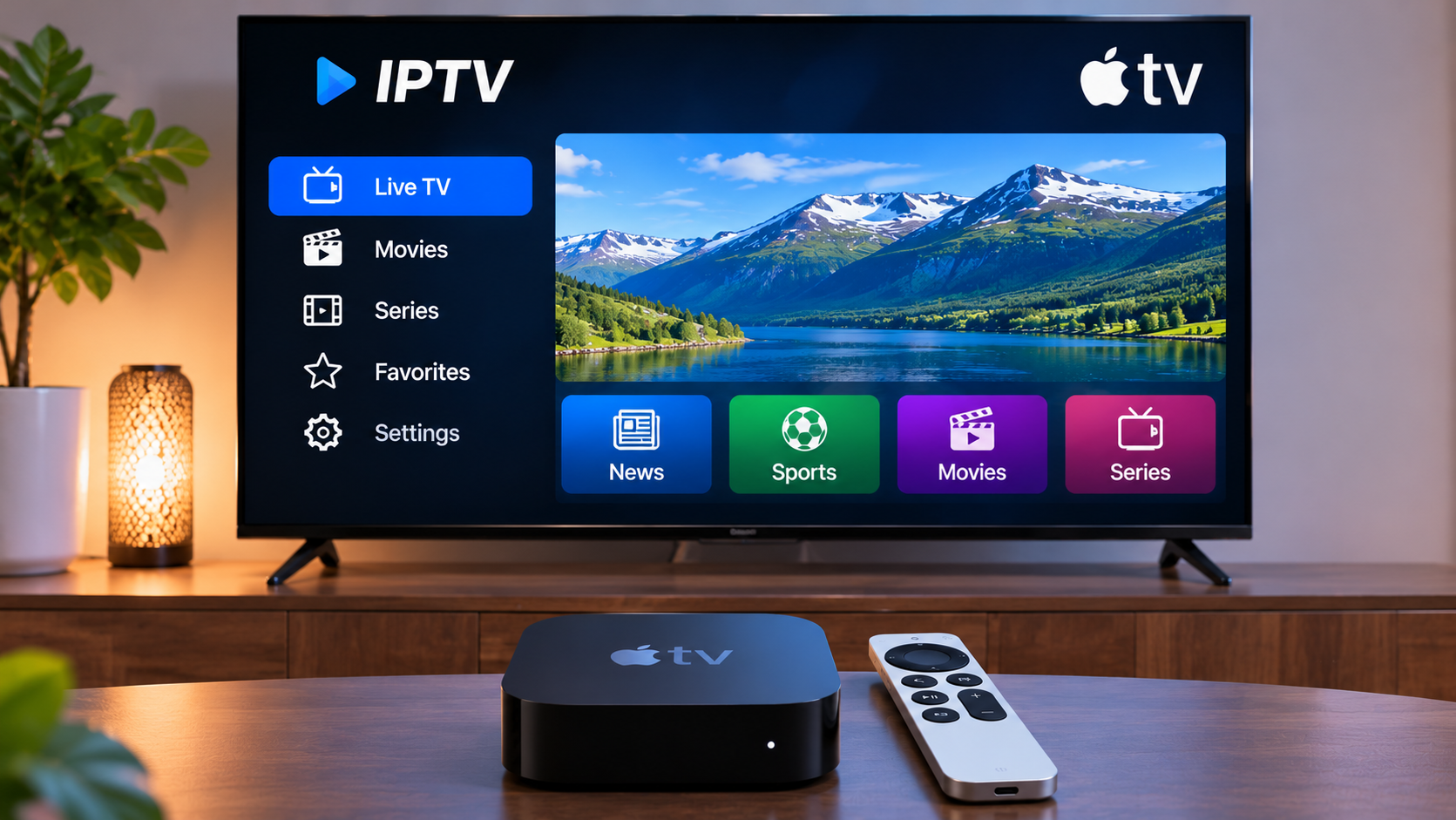
Apple TV can be a comfortable way to watch IPTV on a larger screen, especially for people who already use Apple devices at home. The interface is simple, the remote is compact, and compatible apps can turn the device into a practical hub for live TV, movies, series, and other streaming content.
The setup itself does not need to be complicated. Most of the work comes down to choosing the right IPTV player, entering the account details correctly, and making sure the network connection is stable.
Start With a Compatible IPTV Player
The first step is finding an IPTV player that supports Apple TV.
Different apps can support different login methods, so it is worth checking your account details before installing anything.
You may have:
-
A username and password
-
An M3U playlist
-
A server address
-
Portal details
-
Another supported connection method
Choose a player that works with the information you already have.
This avoids wasting time setting up an app that cannot use your subscription.
The Player and the IPTV Service Are Different Things
An IPTV player is usually just the app used to organize and display content.
Installing the app does not automatically give you channels.
The service or playlist provides the actual stream information.
This distinction is important because many setup problems are caused by incorrect login details rather than by the Apple TV itself.
Enter the Details Carefully
Typing a long URL or server address with a remote can be annoying.
Take your time and double-check the information before saving it.
A single wrong character may prevent the playlist from loading.
If the app opens normally but no channels appear, the login details are one of the first things worth checking.
Let the Playlist Finish Loading
The first time you add an account, the player may need to retrieve and organize a lot of information.
This can include:
-
Live channels
-
Movies
-
Series
-
Channel groups
-
Artwork
-
EPG data
A larger playlist can take a little longer on the first load.
Avoid closing the app repeatedly while it is still processing the information.
Organize Favourites Early
One of the easiest ways to improve the Apple TV experience is to create a favourites list.
Instead of scrolling through a large number of channels every time, keep the ones you actually watch in one smaller section.
This is especially useful with a remote because less navigation means a more comfortable viewing experience.
Use the Electronic Program Guide
An Electronic Program Guide, or EPG, can make live television much easier to browse.
When supported, it can show:
-
What is playing now
-
What starts next
-
Start and end times
-
Channel schedules
-
Program descriptions
If the channel list works but the guide is empty, check whether the player has a refresh option for EPG data.
The guide and the playlist may update separately.
Apple TV Works Best With a Stable Network
IPTV depends on a continuous internet connection.
Even a fast broadband package can feel unreliable if the Apple TV is receiving a weak Wi-Fi signal.
If the device is far from the router, playback may buffer or freeze.
Try testing the connection near the television rather than relying on a speed test from a phone beside the router.
Ethernet Can Be Useful
Some Apple TV models support Ethernet.
A wired connection can be helpful when Wi-Fi is inconsistent.
It removes many of the problems caused by wireless interference, distance, and weak signal strength.
That does not mean Ethernet is always necessary. Good Wi-Fi can work perfectly well.
It is simply a useful option when you are trying to improve stability.
Router Placement Still Matters
A router hidden inside a cabinet or placed behind large furniture may not provide the best signal.
Try to keep it in a more open position if possible.
Walls, metal objects, nearby wireless networks, and distance can all affect Wi-Fi quality.
In larger homes, a mesh system or additional access point can sometimes improve coverage around the television.
Check Other Devices on the Network
If IPTV suddenly begins buffering, the Apple TV may not be the problem.
Other devices could be using a large amount of bandwidth.
For example:
-
A computer may be downloading an update
-
A game console may be downloading a large title
-
Another TV may be streaming high-resolution video
-
Phones may be uploading photos to cloud storage
Pause heavy network activity and test the stream again.
This gives you useful information before changing the Apple TV setup.
Compare IPTV Options for Sweden
Device compatibility matters when choosing an IPTV setup, especially if you want to use the same service across televisions, mobile devices, computers, and streaming boxes.
Users researching IPTV subscriptions and setup information for the Swedish market can review FIRST CLASS IPTV when comparing device support and available player options.
Whatever service you use, check its current setup guidance because recommended applications can vary by device.
Keep tvOS Updated
Apple releases software updates for Apple TV over time.
These updates can improve system stability, compatibility, and security.
It is worth checking occasionally that the device is running a supported version.
The IPTV player should also be kept updated through the App Store.
If an app starts behaving differently after a system update, see whether a newer app version is available.
Restart Before Reinstalling
When an IPTV app starts acting strangely, reinstalling it is not always the best first step.
Try restarting the app.
If that does not help, restart the Apple TV.
If the entire network feels slow, restart the router as well.
These simple steps can fix temporary problems without deleting your settings.
Test Another Channel
If one channel freezes, try several others.
If the rest work normally, the issue may be limited to that particular stream.
If every channel is affected, the problem is more likely to involve the player, device, account, or network.
This small test can save a lot of unnecessary troubleshooting.
Use Another Streaming App as a Comparison
Open another video service on the same Apple TV.
If that also buffers, the local network may be the main issue.
If everything else works normally, focus on the IPTV player or stream instead.
Comparing with another app is one of the quickest ways to narrow down the cause.
Do Not Install Too Many IPTV Players
It is reasonable to test a few players when you first set up Apple TV.
Once you find one that works well, there is usually little benefit in keeping many alternatives installed.
Too many apps can make the home screen cluttered and create confusion later.
A simple setup is easier to maintain.
Check Subtitle Support
Subtitles are useful for films, series, and international content.
Different IPTV players can handle subtitle tracks differently.
If subtitles are important to you, test them before settling on a player.
Check whether the app supports:
-
Multiple languages
-
Subtitle size
-
Position
-
Delay adjustment
-
Embedded subtitle tracks
A player that handles subtitles reliably can make a big difference in everyday use.
Audio Track Selection Can Matter
Some content may include more than one audio track.
If the wrong language or no sound is playing, open the audio menu and check the available options.
This can be especially useful with multilingual channels or movies.
Do not assume an audio problem is related to the television speakers before checking the stream settings.
Apple TV Is Useful for Older Televisions Too
A television does not need to be replaced just because its built-in smart software feels slow.
If the screen still looks good, Apple TV can handle the streaming apps separately.
This can extend the useful life of an older television.
It also means the streaming device can be replaced later without changing the TV itself.
Consider the Remote Experience
Apple TV is designed to be controlled from a remote, so the IPTV app should feel comfortable from the sofa.
Check whether it is easy to:
-
Open categories
-
Search for channels
-
Add favourites
-
Use the EPG
-
Return to the previous screen
-
Switch between live TV and on-demand content
A clean interface is often more useful than a long list of advanced features.
Keep Account Details Private
IPTV login information should be treated like other account credentials.
Avoid sharing:
-
Usernames
-
Passwords
-
Playlist URLs
-
Server details
-
Portal information
Be careful when sharing screenshots for technical support because sensitive information can appear on the screen.
Apple TV or Smart TV App?
Both can work well.
A Smart TV app keeps the setup simple because no additional hardware is required.
Apple TV can be more useful when:
-
The TV has limited app support
-
The built-in interface feels slow
-
You want a separate streaming device
-
You already use Apple products
-
You prefer the Apple TV interface
The better choice depends on the television and the way you prefer to watch.
Final Thoughts
Apple TV can provide a clean and flexible IPTV setup when paired with a compatible player and a stable internet connection.
The most important steps are simple: choose the right app, enter account details carefully, create a favourites list, keep the software updated, and make sure the network is reliable.
If something goes wrong, test one thing at a time. Try another channel, compare another streaming app, restart the device, and check the connection before making major changes.
A straightforward setup is usually easier to use and much easier to troubleshoot when something stops working.

 English
 Arabic
 French
 Spanish
 Portuguese
 Turkish
 Dutch
 Italiano
 Russian
 Romaian
 Portuguese (Brazil)
 Greek