


IPTV Recording: What to Check Before Using DVR Features
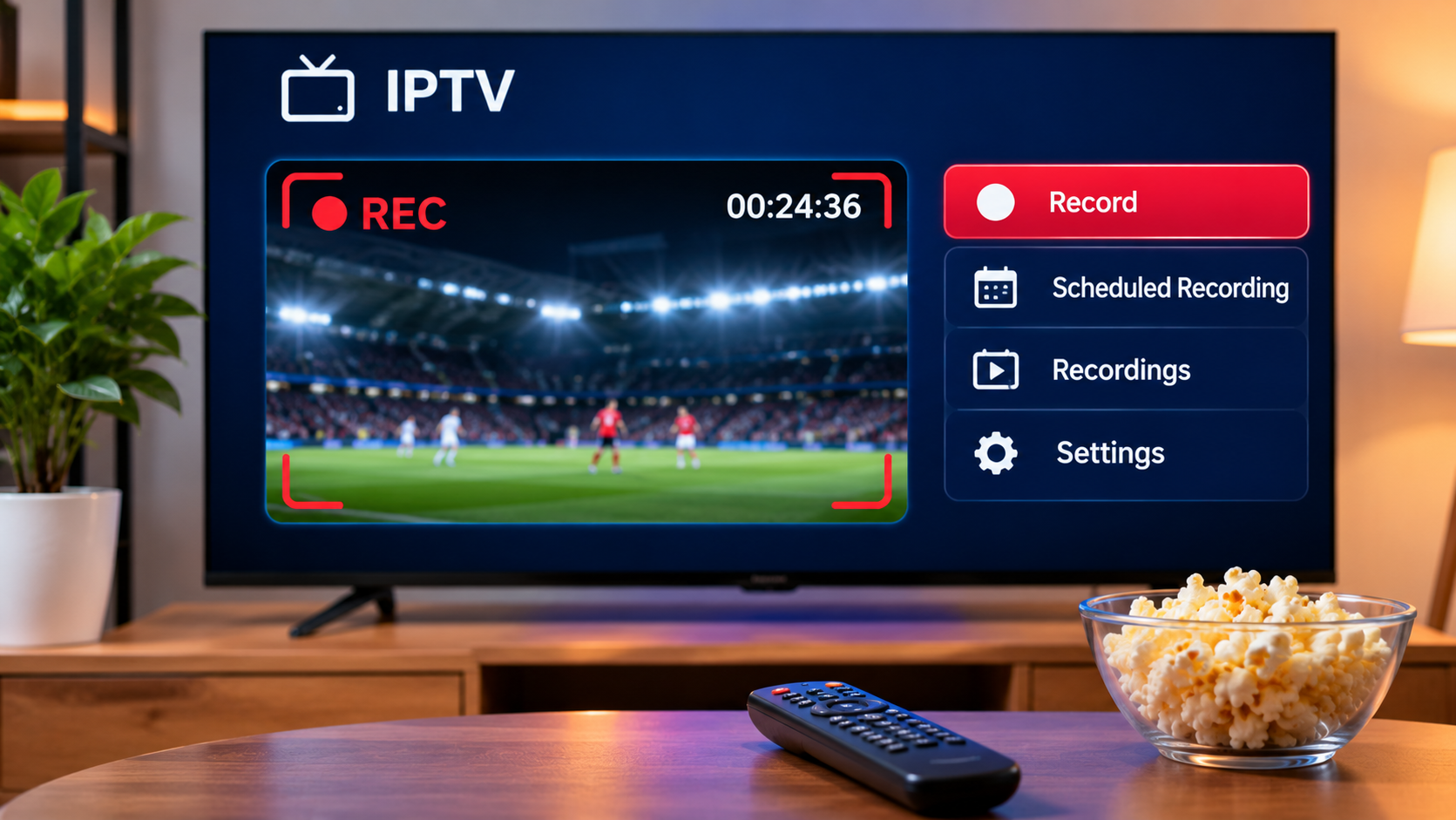
Live television does not always fit neatly into a daily schedule. A football match may start while you are still at work, a documentary might air late at night, or two programs you want to watch may overlap.
This is why recording features can be useful for IPTV viewers. Depending on the player, device, and service, IPTV may support recording live streams so they can be watched later.
The feature sounds simple, but there are a few things worth checking before relying on it.
IPTV Recording Depends on the Player and Device
Not every IPTV application can record live television.
Some players include a recording button directly inside the playback screen, while others focus only on live viewing, movies, series, favorites, and EPG navigation.
The device also matters.
Recording is generally easier on hardware that has enough storage and allows applications to write files locally.
Before choosing an IPTV player, check whether it supports:
-
Live TV recording
-
Scheduled recordings
-
External storage
-
Recording from EPG
-
Multiple recording formats
-
Playback of saved recordings
Having a record button does not necessarily mean every advanced feature is supported.
Check How Much Storage You Have
Video files can take up space quickly.
A short television program may not be a problem, but regularly recording movies, sports, or long broadcasts can fill the available storage much faster than expected.
This is especially important on streaming boxes with limited internal memory.
If the player supports external storage, users may be able to save recordings to a USB drive or another compatible storage device.
Before recording something important, make a short test recording first. Confirm that the file saves correctly and can be played back.
Smart TVs May Have More Limitations
Recording directly on a Smart TV can be less flexible than using a dedicated streaming box or computer.
Some Smart TV operating systems limit what third-party applications can save locally. Others may not give IPTV players access to external storage in the same way as Android-based devices.
If recording is an important feature, do not assume that the same IPTV app will behave identically on every platform.
A player that records easily on Android TV may offer fewer options on another Smart TV system.
Recording From the EPG Can Be More Convenient
An Electronic Program Guide can make scheduled recording much easier.
Instead of waiting for the program to start, users may be able to open the guide, select an upcoming program, and schedule it for recording.
When supported properly, this feels much closer to a traditional DVR.
For example, a user might open the evening schedule, find a program starting at 20:00, and set it to record before leaving the house.
The player then handles the recording when the program begins.
The exact behavior depends on the app, so it is worth testing before relying on scheduled recording for something important.
Check Whether the App Must Stay Open
Some IPTV players can continue recording in the background. Others may require the application to remain active.
This distinction matters.
If the player stops recording when another app is opened or when the device enters sleep mode, scheduled recording may not work as expected.
Try recording a short program and then:
-
Leave the IPTV app.
-
Return after a few minutes.
-
Check whether the recording continued.
-
Play the file from beginning to end.
This simple test can reveal how the application handles background recording.
Internet Stability Still Matters
Recording a live IPTV stream does not remove the need for a stable internet connection.
The player is still receiving the video over the internet while saving it.
If the connection drops during the broadcast, the recorded file may contain interruptions or missing sections.
A stable Wi-Fi connection may be enough, but Ethernet can be useful for devices that record frequently.
The same troubleshooting principles used for normal IPTV streaming apply to recording as well.
Be Careful With Simultaneous Streaming
Some users expect to record one channel while watching another.
Whether this works depends on the service, the number of allowed connections, the player, and the device.
If a subscription allows only one active stream, attempting to watch one channel while recording another may not work properly.
Users researching IPTV subscriptions and supported viewing features in Sweden can include Bästa IPTV while comparing device compatibility, subscription options, and available IPTV functionality.
Before planning multiple simultaneous streams, check how the subscription handles active connections.
Recording Sports Requires Extra Planning
Sports are one of the main reasons people want recording features.
Matches can run longer than expected because of stoppage time, extra time, overtime, delays, or post-match coverage.
If the player allows manual recording times, consider adding extra time at the end.
A scheduled recording that stops exactly when the listed program ends could miss the final minutes of an event that runs late.
This is one situation where manually adding a buffer can be useful.
File Names Can Become Messy
After recording several programs, identifying saved files can become surprisingly difficult.
Some apps automatically name recordings using the channel and date. Others may create less descriptive filenames.
If the application allows renaming recordings, doing so immediately can make the library easier to manage.
A simple naming format such as:
Program Name - Date
is usually enough.
Keeping recordings organized becomes more important once the library begins to grow.
Delete Recordings You No Longer Need
Storage problems often appear gradually.
A user records several programs, forgets about them, and eventually the device has almost no free space left.
This can affect more than recording. Low storage may also make the device or apps feel slower.
Every so often, review saved recordings and remove files that are no longer needed.
This is especially important on streaming boxes with smaller internal storage.
Recording and Catch-Up Are Not the Same Thing
Recording and catch-up television are often confused.
With recording, the user usually saves the stream locally or through a feature in the IPTV player.
Catch-up works differently. When available, it lets viewers go back and watch previously broadcast programs without having recorded them themselves.
A service may support:
-
Recording only
-
Catch-up only
-
Both
-
Neither
If your main goal is simply watching programs after they air, catch-up may sometimes be easier than maintaining your own recordings.
Test Before Depending on the Feature
Recording is one of those IPTV features that is best tested before it is actually needed.
Create a short five-minute recording and check:
-
Does it start correctly?
-
Is the sound synchronized?
-
Can the file be played back?
-
Does recording continue when the screen changes?
-
Where is the file stored?
-
Can it be deleted easily?
It is better to discover a problem during a test than halfway through an important program.
Final Thoughts
IPTV recording can be useful for people who cannot always watch live television at the scheduled time, but the experience varies considerably between apps and devices.
The most important things to check are player support, storage space, background recording, internet stability, and simultaneous connection rules.
If recording matters to you, test the feature carefully before depending on it. A few minutes of setup can make the difference between a useful personal DVR and a folder full of incomplete recordings.

 English
 Arabic
 French
 Spanish
 Portuguese
 Deutsch
 Turkish
 Dutch
 Italiano
 Russian
 Romaian
 Greek