


Cisco 1310 Access Point Bridge Price, Features & Guide
Introduction
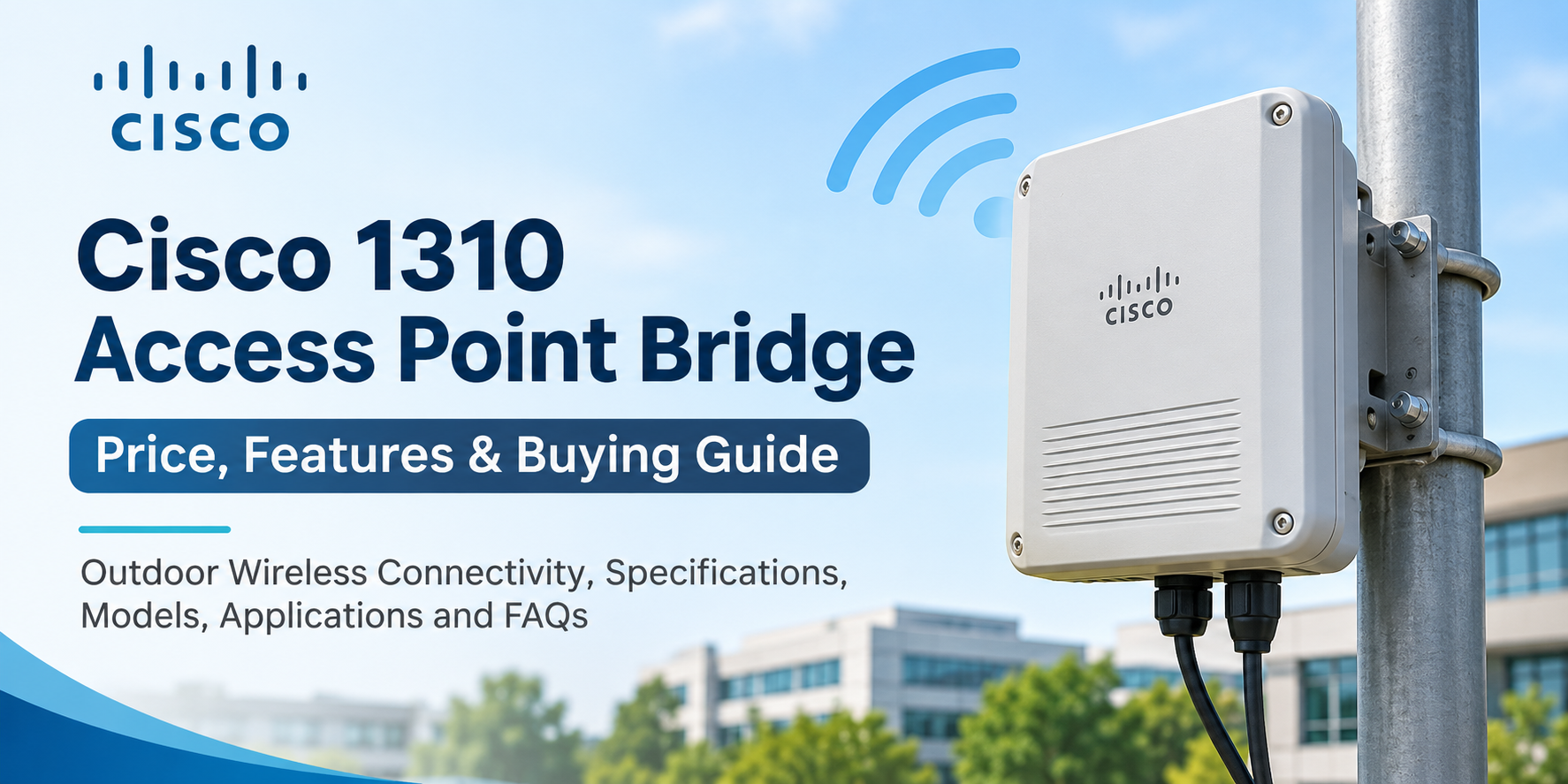
The Cisco 1310 Access Point Bridge is an outdoor wireless networking device designed to connect buildings, extend network coverage, and support communication between remote locations. Part of the Cisco Aironet 1300 Series, it combines wireless access point and bridging capabilities. Understanding its features, compatibility, and pricing helps businesses decide whether this legacy device meets their networking requirements.
What Is the Cisco 1310 Access Point Bridge?
The Cisco 1310 Access Point Bridge is an outdoor wireless device that allows businesses to establish network connections without installing physical cables between locations. It belongs to the Cisco Aironet 1300 Series and supports wireless communication using the IEEE 802.11b/g standards.
The device operates on the 2.4 GHz frequency band and supports wireless signaling rates of up to 54 Mbps under the 802.11g standard. Actual network throughput depends on signal strength, interference, distance, and environmental conditions.
Unlike standard indoor access points, the Cisco 1310 is designed for outdoor environments. Its rugged enclosure helps protect internal components from challenging weather conditions.
Businesses can use this device to connect separate office buildings, warehouses, industrial facilities, and other locations where traditional Ethernet cabling may be difficult or expensive to install.
Cisco 1310 Access Point Bridge Price
The Cisco 1310 Access Point Bridge price varies depending on the model number, product condition, antenna configuration, and availability. Since this series is discontinued, buyers generally find refurbished units or remaining inventory.
Refurbished Cisco 1310 devices are often less expensive than their original selling prices. However, prices can differ significantly between models because of regional configurations, available accessories, and the condition of the equipment.
Factors Affecting Cisco 1310 Pricing
Product condition is one of the most important factors influencing cost. New old-stock equipment may cost more than refurbished units, while tested refurbished devices can provide an affordable replacement for an existing installation.
Antenna configuration also affects pricing. Some models feature integrated antennas, while others include external antenna connectors that support different deployment requirements.
Availability, included power equipment, mounting accessories, warranty coverage, and shipping costs should also be considered when comparing prices.
Businesses purchasing multiple devices should verify model compatibility and request quotations based on their exact requirements.
Key Features of the Cisco 1310 Access Point Bridge
Outdoor Wireless Connectivity
The Cisco 1310 is built for outdoor wireless networking applications. Its weather-resistant enclosure supports installations in areas exposed to changing temperatures and environmental conditions.
This design makes it suitable for connecting buildings across business campuses, industrial properties, and other outdoor locations.
Proper mounting, weatherproofing, grounding, and lightning protection remain essential for reliable operation.
2.4 GHz Wireless Communication
The Cisco 1310 operates on the 2.4 GHz frequency band using older Wi-Fi standards.
The 802.11g standard provides a maximum signaling rate of 54 Mbps, making the device suitable for certain low-bandwidth legacy applications.
However, modern wireless equipment offers significantly higher speeds, improved efficiency, and stronger security capabilities.
Point-to-Point Wireless Bridging
Point-to-point bridging allows two network locations to communicate through a wireless connection.
For example, a business can establish a wireless connection between its main office and a nearby warehouse without running an Ethernet cable between the buildings.
Reliable bridging generally requires proper antenna alignment, a suitable signal path, and careful planning to minimize interference.
Point-to-Multipoint Connectivity
The Cisco Aironet 1300 Series also supports point-to-multipoint bridging configurations.
This arrangement allows a central wireless location to communicate with multiple remote locations using compatible equipment and supported configurations.
It can be useful for connecting several buildings within a campus or industrial facility.
Flexible Antenna Options
The Cisco 1310 family includes models with integrated antennas and versions with external antenna connectors.
Integrated antenna models simplify certain installations by reducing the need for separate antenna equipment.
External antenna versions provide more flexibility when choosing antennas for specific coverage patterns and installation requirements.
Cisco 1310 Access Point Bridge Models
Several Cisco 1310 models are available with different regional configurations and antenna options.
Cisco AIR-BR1310G-A-K9
The AIR-BR1310G-A-K9 is an outdoor wireless access point and bridge featuring an integrated antenna. It supports 2.4 GHz wireless communication and is designed for supported FCC-region deployments.
This model can be suitable for maintaining an existing outdoor wireless bridge connection when matching hardware is required.
Cisco AIR-BR1310G-A-K9-R
The AIR-BR1310G-A-K9-R provides external RP-TNC antenna connectors, allowing compatible antennas to be selected for the installation.
It is useful when an existing network requires a particular antenna arrangement or when replacing equipment with the same configuration.
Cisco AIR-BR1310G-E-K9
The AIR-BR1310G-E-K9 features an integrated antenna and is intended for applicable ETSI-region configurations.
Businesses should verify regional wireless regulations before selecting this model.
Cisco AIR-LAP1310G Series
The AIR-LAP1310G models are lightweight access point variants designed for compatible controller-based wireless deployments.
Unlike autonomous bridge models, these versions may require a supported wireless controller and appropriate software to operate as intended.
Buyers should confirm controller compatibility before purchasing.
Common Applications of the Cisco 1310 Access Point Bridge
Connecting Multiple Office Buildings
Businesses operating from separate buildings may require a network connection between locations.
The Cisco 1310 can support wireless bridging between compatible network segments, reducing the need for physical cable installation in certain environments.
Warehouse and Industrial Networking
Warehouses and industrial properties often contain buildings separated by parking areas, loading zones, or open spaces.
A wireless bridge can provide connectivity between these locations for suitable low-bandwidth network applications.
Campus Network Extensions
Educational institutions, business campuses, and industrial facilities may use outdoor wireless bridges to extend network connectivity between buildings.
The Cisco 1310 can remain useful in certain existing deployments, provided its performance and security limitations are acceptable.
Legacy Network Maintenance
One of the most practical uses for the Cisco 1310 today is maintaining an established wireless installation.
Replacing a failed unit with compatible hardware may reduce configuration changes and help restore connectivity while an organization plans a broader network upgrade.
Cisco 1310 Access Point Bridge Installation Requirements
Installing the Cisco 1310 requires careful attention to location, power, cabling, and wireless signal conditions.
Mounting and Positioning
The device should be installed in a location that provides the required wireless signal path.
For building-to-building connections, antenna alignment and line-of-sight conditions can significantly affect performance.
Mounting hardware must be suitable for the installation environment.
Power and Network Connections
Cisco Aironet 1300 Series equipment uses specific power and cabling arrangements. Buyers should not assume that a standard modern PoE switch or injector will power every Cisco 1310 configuration.
The correct compatible power injector, cables, and accessories should be identified before installation.
Wireless Configuration and Security
Wireless bridge settings must match the deployment requirements, including network parameters, supported operating modes, and authentication settings.
Because the Cisco 1310 is a legacy platform, its available security features may not meet current enterprise security requirements.
Organizations should avoid exposing unsupported equipment directly to untrusted networks and consider modern replacements for sensitive applications.
Is the Cisco 1310 Access Point Bridge Still Worth Buying?
The Cisco 1310 can be worth purchasing when a business needs a compatible replacement for an existing legacy installation.
Its outdoor design and wireless bridging capabilities may help maintain older networks without immediately replacing the entire infrastructure.
However, the device is not an ideal choice for most new wireless deployments. The series has reached the end of its official support lifecycle, and its 802.11g technology cannot match the performance, security, or management capabilities of modern enterprise wireless bridges.
For new installations, businesses should consider supported outdoor wireless equipment with stronger security and higher throughput.
How to Choose the Right Cisco 1310 Access Point Bridge
Before purchasing, businesses should identify the exact model number required for their network.
Antenna type, regional configuration, software compatibility, and power accessories should all be checked.
The condition of refurbished equipment is equally important. Buyers should confirm whether the device has been tested and whether essential accessories are included.
It is also important to evaluate the total cost of maintaining older hardware. A low initial purchase price may not always justify continued use when modern alternatives provide better long-term performance and support.
Frequently Asked Questions
What is the Cisco 1310 Access Point Bridge used for?
The Cisco 1310 Access Point Bridge is used for outdoor wireless connectivity, particularly connections between buildings or remote network locations. It can operate in supported access point and wireless bridge configurations.
What is the maximum speed of the Cisco 1310?
The Cisco 1310 supports a maximum 802.11g wireless signaling rate of 54 Mbps. Actual data throughput is lower and depends on network conditions, interference, and configuration.
Does the Cisco 1310 support 5 GHz Wi-Fi?
No. The Cisco 1310 uses the 2.4 GHz frequency band and does not support modern dual-band Wi-Fi operation.
Can the Cisco 1310 be used outdoors?
Yes. The Cisco Aironet 1310 is designed for outdoor installations. Proper mounting, electrical protection, and environmental precautions are required.
Does the Cisco 1310 support point-to-point bridging?
Yes. Compatible Cisco 1310 bridge models can establish point-to-point wireless connections between two network locations.
Is the Cisco 1310 discontinued?
Yes. The Cisco Aironet 1300 Series is a legacy product family that has reached the end of its support lifecycle. Businesses can still find certain models through remaining inventory and refurbished equipment suppliers.
What affects the Cisco 1310 Access Point Bridge price?
Pricing depends on the exact model, condition, antenna configuration, included accessories, availability, and warranty. Refurbished products are commonly available at lower prices than original equipment.
Should businesses choose the Cisco 1310 or a modern wireless bridge?
The Cisco 1310 may be appropriate for maintaining a compatible legacy network. For new installations, a modern wireless bridge is generally preferable because of improved speed, security, reliability, and vendor support.
Conclusion
The Cisco 1310 Access Point Bridge provides outdoor wireless connectivity and bridging capabilities for legacy business networks. Its 2.4 GHz operation, integrated or external antenna options, and support for different bridging configurations make it useful for maintaining compatible installations.
When comparing Cisco 1310 Access Point Bridge prices, businesses should consider product condition, model compatibility, power requirements, and available support. For existing networks, refurbished units may offer a practical replacement option. For new deployments, modern wireless bridging solutions generally provide better long-term value.

 English
 Arabic
 French
 Spanish
 Portuguese
 Deutsch
 Turkish
 Dutch
 Italiano
 Romaian
 Portuguese (Brazil)
 Greek