


Data Engineer - SAP HANA Study Plan: A Practical 30-Day Preparation Schedule
Quick Summary
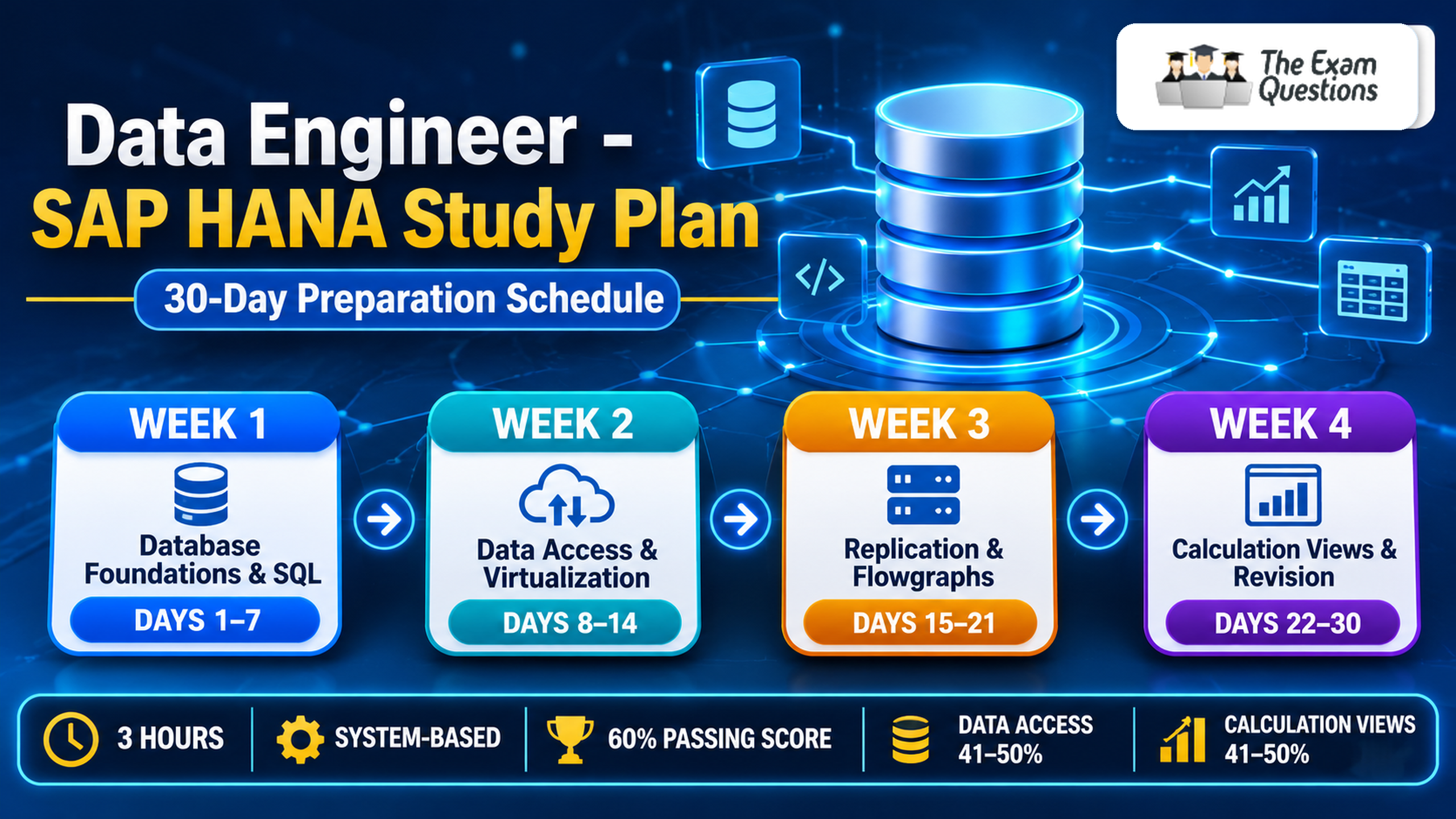
This 30-day Data Engineer - SAP HANA study plan splits the exam topics into four weekly goals. It covers data access, provisioning, and calculation views, with daily hands-on practice for the 3-hour system-based assessment.
Introduction
Preparing for a technical certification alongside a job takes planning. SAP HANA data engineering combines several connected skills: how data enters a database, how sources are accessed, and how information is organised for analysis. A structured Data Engineer - SAP HANA Study Plan lets you focus on one group of related skills at a time and build steady progress. Follow this 30-day schedule as written or adjust the pace to match your existing experience.
Exam Basics Before You Plan
The credential is SAP Certified - Data Engineer - SAP HANA, with the exam code C_HAMOD. The current official SAP certification page lists a system-based assessment with 1 activity, a 3-hour duration, and a 60% passing score.
Two areas share the published weight:
- Data Access: 41 to 50%
- Calculation Views: 41 to 50%
Data Access makes information available from different sources, and Calculation Views organise it into analytical models. Since both areas connect closely, include exercises that combine them.
How to Use the Daily Routine
Set aside about 90 minutes per study day. This is a suggested routine and SAP sets no such requirement. A useful session has three parts:
- 25 minutes: read about one concept and its purpose.
- 50 minutes: complete a related exercise in an SAP HANA environment.
- 15 minutes: record what worked, what felt difficult, and what needs revision.
Because the assessment is system-based, spend most of your time working in the environment.
First Week: Data Access Fundamentals
The goal is to understand how SAP HANA connects to external data and makes it available. Start with data provisioning, which means delivering data from source systems into SAP HANA. Then follow this daily flow:
- Day 1: data provisioning and its role in SAP HANA.
- Day 2: remote sources and connection requirements.
- Day 3: configuring or reviewing a remote source.
- Day 4: virtual tables and how they reach remote data.
- Day 5: virtualization compared with replication.
- Day 6: virtual tables in classic schemas and HDI containers (HANA Deployment Infrastructure, SAP's structure for managing database objects).
- Day 7: revision and one repeated exercise.
By the end of the week, you can explain how remote data becomes available and when virtualization fits a requirement.
Second Week: Replication and Transformation
This week builds on the first. Treat replication and transformation as separate tools with separate purposes. A business may replicate data to keep a local copy and avoid querying a remote system each time.
- Day 8: replication concepts and technologies.
- Day 9: replication tasks and services.
- Day 10: a source-to-target replication workflow.
- Day 11: SQL-based replication operations.
- Day 12: flowgraph structure and transformation steps. A flowgraph is a visual design that connects sources, operations, and targets.
- Day 13: filtering and transforming a sample dataset.
- Day 14: comparing source and target records, then weekly revision.
For the weekly exercise, use a small dataset with inconsistent records. Run the transformation and confirm that the expected values appear in the output.
Third Week: Calculation View Skills
Calculation Views let developers select, combine, filter, and process data from different sources. Begin with the modelling environment, then move through the core operations.
- Day 15: modelling environment and view basics.
- Day 16: projection nodes and column selection.
- Day 17: joins and matching conditions.
- Day 18: unions compared with joins.
- Day 19: filters and aggregations.
- Day 20: calculated columns and embedded functions.
- Day 21: a complete basic view with validated output.
Picture a sales database with product details and transaction records. You join both datasets on a product identifier, select the relevant columns, and calculate order value as quantity multiplied by unit price. Check the result afterward, because an incorrect join or aggregation can produce misleading totals even when the view runs successfully.
Fourth Week: Advanced Modelling and Integrated Practice
Use this week to extend your modelling knowledge and connect data access with calculation views. Topics include data slices, ranking, dynamic calculation views, hierarchies, custom SQL logic, performance practices, project management, and security.
- Day 22: data slices and ranking.
- Day 23: dynamic views and their behaviour.
- Day 24: hierarchies.
- Day 25: SQL expressions and custom logic.
- Day 26: performance and validation.
- Day 27: project management and security.
- Day 28: an integrated exercise.
The integrated exercise works best when you start from a business requirement. Identify the data source, choose an access method, build a calculation view, and verify the final output against the original requirement.
Final Two Days: Revision and Readiness
On Day 29, return to the exercises that felt hardest. Explain each concept in your own words before checking your notes, since this shows whether you understand a topic or only remember its definition.
On Day 30, pick a small business scenario and work through every stage independently. Choose the access method, prepare the data, build the model, and validate the results. Finish by reviewing SAP's current assessment instructions and technical requirements before you book.
Common Study Plan Mistakes
- Reading without practising: build exercises into your routine from the first week.
- Uneven attention: both main areas carry substantial weight, so divide your time between them.
- Memorising operations: learn why a join, union, filter, or aggregation suits a particular requirement.
- Skipping validation: inspect records, calculated values, and totals after every important change.
- Rigid scheduling: treat the plan as a framework and give extra time to unfamiliar topics.
Frequently Asked Questions
Is 30 days enough to prepare for the SAP HANA Data Engineer certification?
It works well for candidates with database knowledge and some SAP HANA experience. Beginners benefit from extra time for hands-on modelling and provisioning practice.
How many hours should I study each day?
This plan suggests about 90 minutes per study day. Adjust the duration to your experience, practice environment, and comfort with SQL and data modelling.
Which topics should I prioritise?
Give steady attention to Data Access and Calculation Views. Cover provisioning, remote sources, virtual tables, replication, flowgraphs, modelling nodes, calculated columns, and SQL-based logic.
Should I practise in SAP HANA during preparation?
Yes. Practical exercises show how the concepts work together, and they prepare you well for a system-based assessment.
Conclusion
A strong preparation routine rests on a clear structure, regular practice, and time to revisit difficult topics. Use this plan to organise your 30 days, track your progress, and build confidence with provisioning and modelling tasks. For more exam-focused practice, visit The Exam Questions and adjust the schedule to fit your experience.

 English
 Arabic
 French
 Spanish
 Portuguese
 Deutsch
 Turkish
 Dutch
 Italiano
 Russian
 Romaian
 Portuguese (Brazil)