


Fortinet SD-WAN Performance Monitoring: Key Metrics and Tools
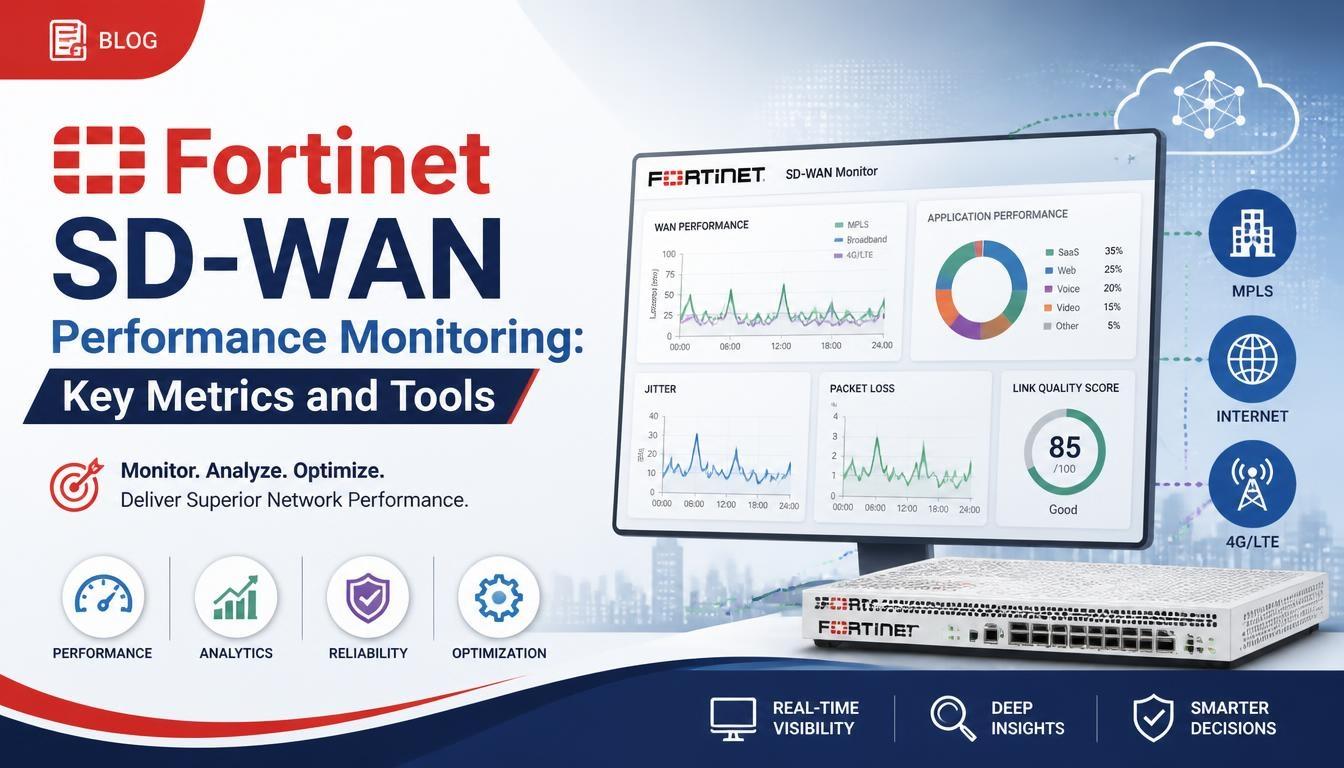
Fortinet SD-WAN provides centralized network management, application visibility, and intelligent traffic routing to maintain reliable connectivity across distributed business locations. Monitoring its performance helps network administrators identify issues, evaluate network health, and maintain consistent application performance.
Fortinet SD-WAN Training helps networking professionals understand how to monitor network traffic, analyze performance metrics, and troubleshoot connectivity problems in enterprise environments.
What Is Fortinet SD-WAN Performance Monitoring?
Fortinet SD-WAN performance monitoring is the process of tracking network conditions, application traffic, and link quality across WAN connections. It helps administrators understand how effectively network resources are being used and whether applications are receiving the required connectivity.
Fortinet SD-WAN uses performance monitoring mechanisms to evaluate available WAN links and make routing decisions based on network conditions. Administrators can use these insights to identify unreliable connections and improve traffic distribution.
Why Is Performance Monitoring Important in Fortinet SD-WAN?
Monitoring network performance is important for maintaining stable communication between branch offices, data centers, and cloud applications.
Some key benefits include:
-
Improved network reliability: Identifies unstable WAN connections before they affect business operations.
-
Better application performance: Helps prioritize critical applications based on network conditions.
-
Reduced downtime: Allows administrators to identify connectivity problems and take corrective action.
-
Efficient bandwidth utilization: Provides visibility into traffic distribution across available WAN links.
-
Faster troubleshooting: Helps network teams investigate packet loss, latency, and jitter issues.
Key Metrics for Fortinet SD-WAN Performance Monitoring
Several network performance metrics help administrators evaluate WAN link quality and application connectivity.
1. Latency
Latency measures the time required for data packets to travel from the source to the destination. High latency can affect real-time applications such as video conferencing, voice communication, and remote desktop services.
Monitoring latency helps administrators identify slow network paths and select better-performing WAN connections.
2. Packet Loss
Packet loss occurs when data packets fail to reach their intended destination. It can result from network congestion, hardware problems, or unstable connections.
High packet loss can cause interrupted voice calls, poor video quality, and application delays. Fortinet SD-WAN performance monitoring helps administrators identify links experiencing packet loss.
3. Jitter
Jitter refers to variations in packet arrival times. It is particularly important for applications that require consistent data delivery, including VoIP and video conferencing.
Monitoring jitter helps administrators evaluate whether a WAN connection can support real-time communication effectively.
4. Bandwidth Utilization
Bandwidth utilization measures how much available network capacity is being consumed.
Administrators monitor bandwidth usage to identify overloaded WAN links, understand traffic patterns, and distribute network traffic more efficiently.
5. Link Availability
Link availability indicates whether a WAN connection is operational and capable of carrying traffic.
Monitoring link availability helps identify connection failures and supports automatic traffic redirection when a WAN link becomes unavailable.
Fortinet SD-WAN Monitoring Tools
Fortinet provides several tools and features that help administrators monitor network performance and investigate connectivity issues.
1. FortiGate Dashboard
The FortiGate dashboard provides an overview of firewall and network activity. Administrators can monitor system status, interface information, traffic usage, and other operational details.
It helps network teams understand the overall condition of their FortiGate devices.
2. FortiManager
FortiManager provides centralized management for multiple Fortinet devices. It allows administrators to manage configurations, monitor managed devices, and maintain consistent policies across distributed network environments.
It is particularly useful for organizations managing SD-WAN deployments across multiple branch locations.
3. FortiAnalyzer
FortiAnalyzer provides centralized log collection, reporting, and security analytics.
Administrators can use it to analyze network events, review traffic information, investigate incidents, and generate reports that support performance troubleshooting.
4. FortiGate SD-WAN Monitor
The SD-WAN Monitor provides visibility into SD-WAN members, health checks, link status, and performance information.
Administrators can review link conditions and understand how traffic is distributed across available WAN connections.
5. Performance SLA Health Checks
Performance SLA health checks evaluate WAN link quality using measurements such as latency, jitter, and packet loss.
Administrators can configure health checks to monitor specific destinations and determine whether a WAN connection meets defined performance requirements.
These measurements can also influence SD-WAN routing decisions based on configured rules.
Best Practices for Fortinet SD-WAN Performance Monitoring
Following consistent monitoring practices helps maintain network reliability and reduces troubleshooting time.
Monitor Critical Applications
Identify business-critical applications such as VoIP, video conferencing, and cloud services. Monitor their network requirements to maintain suitable connectivity.
Configure Performance SLA Thresholds
Set appropriate latency, jitter, and packet loss thresholds based on application requirements. This helps identify WAN connections that do not meet expected performance levels.
Review Network Logs Regularly
Analyze logs and performance reports to identify recurring connectivity issues, unusual traffic patterns, and network failures.
Monitor Bandwidth Consumption
Track bandwidth utilization across WAN links to identify congestion and understand whether additional network capacity is required.
Keep Fortinet Devices Updated
Maintain supported FortiOS versions and review firmware updates to benefit from relevant improvements, fixes, and security enhancements.
Common Fortinet SD-WAN Performance Issues and Troubleshooting
Network administrators may encounter different performance problems while managing SD-WAN environments.
-
High latency: Check WAN link conditions, routing paths, and network congestion.
-
Packet loss: Investigate interface errors, unstable connections, and service provider issues.
-
High jitter: Review network congestion and the quality of the selected WAN path.
-
Bandwidth congestion: Analyze traffic utilization and adjust SD-WAN policies where appropriate.
-
Frequent link failures: Check physical connectivity, ISP availability, and configured health check destinations.
Using FortiGate monitoring features, performance SLA information, and FortiAnalyzer reports can help narrow down the source of these problems.
Conclusion
Fortinet SD-WAN performance monitoring plays an important role in maintaining reliable enterprise connectivity. By tracking latency, packet loss, jitter, bandwidth utilization, and link availability, administrators can evaluate network conditions and identify performance issues. Tools such as FortiGate dashboards, FortiManager, FortiAnalyzer, and Performance SLA health checks provide useful visibility into SD-WAN operations. Understanding these monitoring techniques through Fortinet NSE 7 SD-WAN concepts can help networking professionals develop the skills required to manage, monitor, and troubleshoot enterprise SD-WAN environments.

 English
 Arabic
 French
 Spanish
 Portuguese
 Deutsch
 Turkish
 Dutch
 Italiano
 Russian
 Romaian
 Portuguese (Brazil)