


Ransomware vs Malware: Understanding the Difference and Why It Matters
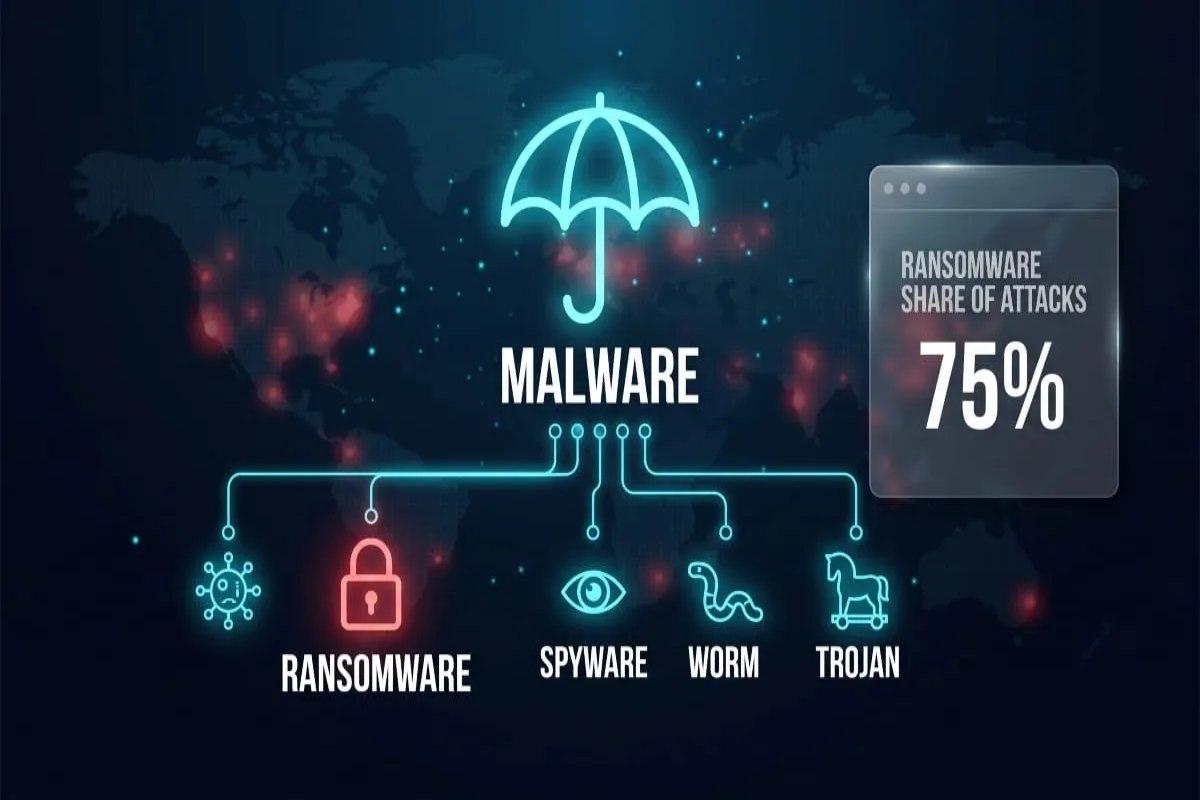
If you have ever seen a news headline about a hospital, a school district, or a small business getting "hacked," there is a good chance the real story involved one of two things: a data-locking attack or a broader piece of malicious software doing something quieter in the background. Understanding ransomware vs malware is the first step toward making sense of almost every cybersecurity headline you will read this year. In this guide, we will break the topic down the way a classroom lesson would, starting with definitions, moving into real examples, and ending with practical steps anyone can take today.
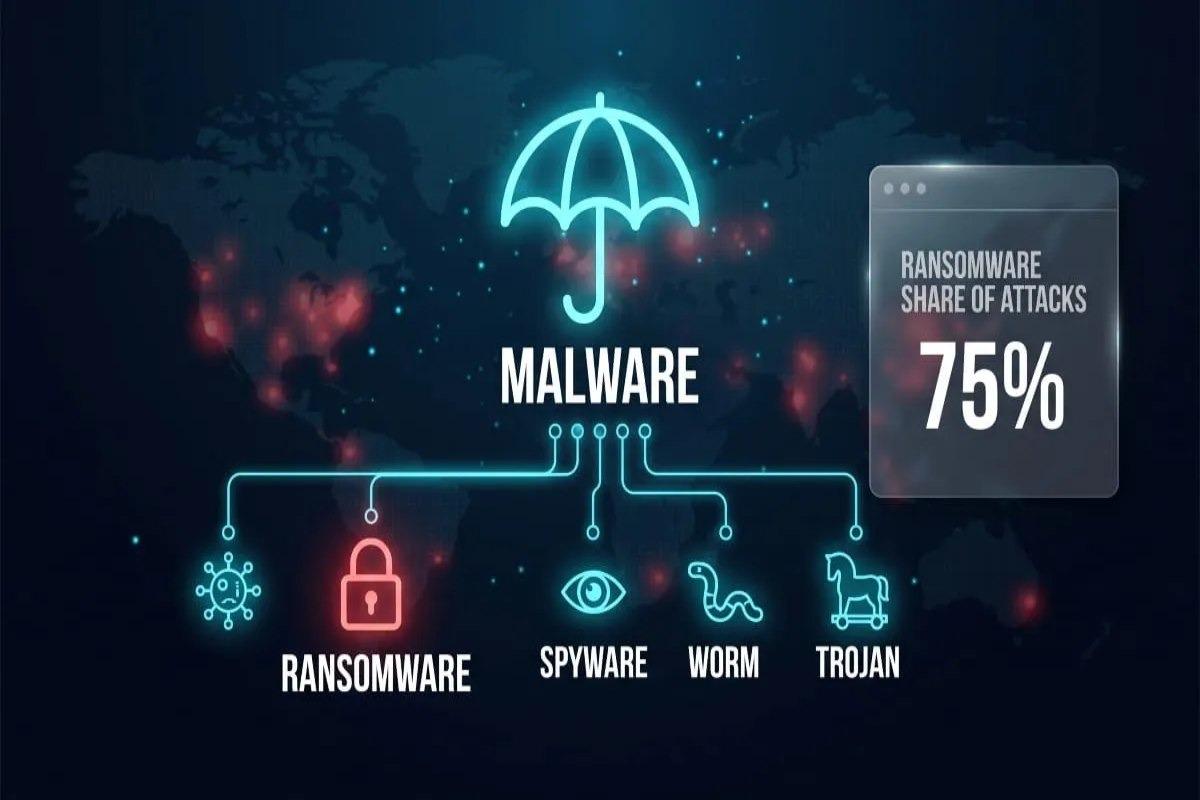
Think of malware as the entire category of "bad software," and ransomware as one very specific, very disruptive member of that category. That distinction sounds simple, but it is exactly where most confusion starts, both for everyday users and for IT teams making budget decisions. By the end of this article, you will be able to explain the difference clearly, recognize the warning signs of each, and understand what protective steps actually make a difference.
What Is Malware, Exactly?
Malware is the umbrella term for any software intentionally designed to damage, disrupt, or gain unauthorized access to a computer system. It includes viruses, worms, spyware, adware, trojans, and ransomware itself, which means ransomware is technically a subcategory rather than a separate threat entirely. Some malware is loud and obvious, like a virus that corrupts files and crashes a system, while other malware is designed to hide silently and collect data for months without detection. This broad category is why cybersecurity teams talk about "malware families" rather than a single fixed threat, since new variants appear constantly.
A Simple Analogy for Beginners
Imagine malware as the general category of "unwanted houseguest," where some guests are messy and obvious, while others quietly go through your drawers without you noticing. A virus is the guest who breaks a vase in plain sight, while spyware is the one quietly photographing your documents. This analogy makes it easier to see why ransomware, the guest who locks every door and demands payment for the key, is simply one specific type of intrusion within a much larger category.
What Is Ransomware, Specifically?
Ransomware is a type of malware that encrypts a victim's files or locks them out of their own system, then demands payment, usually in cryptocurrency, in exchange for restoring access. Unlike some malware that tries to stay hidden, ransomware announces itself almost immediately, often with an on-screen message explaining the ransom demand and a countdown timer. This visibility is intentional, since the attacker's entire business model depends on the victim knowing exactly what happened and panicking quickly. Crypto ransomware vs malware comparisons often come up here, since crypto ransomware specifically refers to the encryption-based variant that has become the dominant form of ransomware attack today.
Why Ransomware Gets So Much Attention
Ransomware attacks tend to make headlines because they cause immediate, visible disruption to hospitals, schools, and city governments. A single successful attack can shut down an entire organization's operations within hours, which is a far more dramatic outcome than the slow data theft typical of spyware. This visibility is exactly why ransomware has become the most discussed subcategory of malware in recent cybersecurity reporting.
Ransomware vs Malware: The Core Differences
When people search for ransomware vs malware, what they usually want is a clear, practical breakdown rather than a technical definition. The simplest way to understand it is that malware is the category, and ransomware is one aggressive, financially motivated member of that category. Malware in general might steal data, spy on activity, or simply cause system instability, while ransomware has one specific goal: extort payment by denying access to something valuable. This distinction matters practically because the response strategy for a ransomware attack looks very different from the response to a quiet spyware infection.
A useful classroom-style example: imagine a small accounting firm that discovers its client files are suddenly all encrypted with a ransom note on screen, versus a firm that discovers, months later, that an employee's login credentials were quietly stolen and sold. Both situations involve malware, but only the first is ransomware, and the two require completely different incident response plans. Recognizing which category you are dealing with early on genuinely changes how fast and how effectively an organization can respond.
Comparing Ransomware, Crypto Malware, and Viruses
A related comparison that often confuses people is ransomware vs malware vs virus, since all three terms get used loosely in everyday conversation. A virus is a specific type of malware that attaches itself to legitimate files and spreads when those files are shared or executed. Ransomware, by contrast, does not need to attach itself to anything else; it can arrive through a phishing email or a compromised download and act on its own. Understanding this layered relationship, where virus and ransomware are both subsets of the broader malware category, helps clear up most of the terminology confusion people run into.
Real-World Examples Worth Knowing
Case studies make this topic far easier to remember than definitions alone, and cybersecurity history has no shortage of them. The WannaCry outbreak in 2017 is one of the most cited ransomware examples, spreading rapidly across hospital networks and locking staff out of patient record systems within hours. According to the U.S. Cybersecurity and Infrastructure Security Agency, ransomware attacks against critical infrastructure have continued to grow in frequency and sophistication in the years since, making this far from a one-time event.
Compare that to a classic malware example that is not ransomware: a keylogger installed quietly on a shared office computer, recording every password typed for weeks before anyone notices anything unusual. There is no ransom note, no visible disruption, and often no immediate sign anything is wrong at all. This kind of slow-burn malware is arguably more dangerous in the long run precisely because it stays hidden so much longer than a ransomware attack ever could.
How Ransomware Typically Spreads
Ransomware most commonly enters a system through phishing emails, malicious attachments, or compromised remote desktop connections. Once inside, it often moves laterally across a network before triggering the encryption process, which is why a single infected computer can escalate into an organization-wide crisis. Recognizing these entry points is the first practical step toward reducing exposure.
Practical Protection Steps Everyone Should Know
Protecting against both ransomware and broader malware threats does not require an advanced technical background, just consistent habits and the right tools. Regular software updates close known vulnerabilities before attackers can exploit them, and offline backups mean a ransomware attack cannot hold your only copy of important files hostage. Many organizations also invest in digital risk protection services that monitor for leaked credentials, phishing infrastructure, and brand impersonation before an attack ever reaches an employee's inbox. This proactive layer of monitoring is increasingly considered standard practice rather than an optional extra for businesses handling sensitive data.
-
Keep operating systems, browsers, and security software updated automatically, since most successful attacks exploit vulnerabilities that a patch had already fixed months earlier.
-
Maintain offline, tested backups of critical files, because a backup that has never been tested for restoration is not a reliable safety net when an actual attack occurs.
Many security providers also offer a free dark web scan to check whether an organization's credentials or domain information have already appeared in a data breach dump. This kind of scan is a low-effort, high-value first step for any business unsure of its current exposure. Running one periodically, rather than only after an incident, is one of the simplest habits a security-conscious team can build.
Building a Response Plan Before You Need One
Every organization, regardless of size, benefits from a written incident response plan that spells out exactly who does what during an active attack. Waiting until an actual ransomware event to figure out the reporting chain and backup restoration process wastes precious hours that directly affect recovery time. A tested plan, reviewed at least once a year, turns a chaotic emergency into a manageable, structured process.
Why This Distinction Matters for Businesses and Individuals
Understanding ransomware vs malware is not just an academic exercise; it directly shapes how a security budget gets allocated and how a team trains employees. A company that only prepares for ransomware might overlook the slower, quieter threats like spyware or credential-stealing trojans that can cause equally serious long-term damage. Conversely, a household that only worries about generic viruses might be caught off guard by a targeted ransomware demand with a very real financial deadline attached. Getting the terminology right leads directly to getting the defense strategy right.
Security researchers and government agencies alike now treat this vocabulary as foundational, the same way a doctor needs precise terminology to diagnose the right condition rather than treating symptoms generally. Clear categorization allows security teams to communicate faster during an actual incident, which measurably shortens response time. That practical value is exactly why getting comfortable with these distinctions is worth the classroom-style deep dive.
Frequently Asked Questions
What is the fastest way to tell if a system has been infected with malicious software?
Unusual slowdowns, unexpected pop-ups, unfamiliar programs running in the background, or files that suddenly become inaccessible are all common early warning signs.
Should a ransom ever be paid to recover locked files?
Most cybersecurity agencies advise against paying, since payment does not guarantee file recovery and often encourages further attacks against the same target.
How often should backups be tested for reliability?
A good rule of thumb is testing backup restoration at least quarterly, since an untested backup can fail silently for months without anyone noticing.
What role does employee training play in preventing attacks?
Since phishing emails remain one of the most common entry points, regular training on recognizing suspicious links and attachments significantly reduces successful infections.
Are small businesses actually at risk, or is this mainly a large-company problem?
Small businesses are frequently targeted precisely because they often have fewer security resources than large enterprises, making them easier targets for attackers.

 English
 Arabic
 French
 Spanish
 Portuguese
 Deutsch
 Dutch
Dutch
 Italiano
 Russian
 Romaian
 Portuguese (Brazil)
 Greek
Greek