


A Working Method for Pairing Pop-ups With Lead Magnets
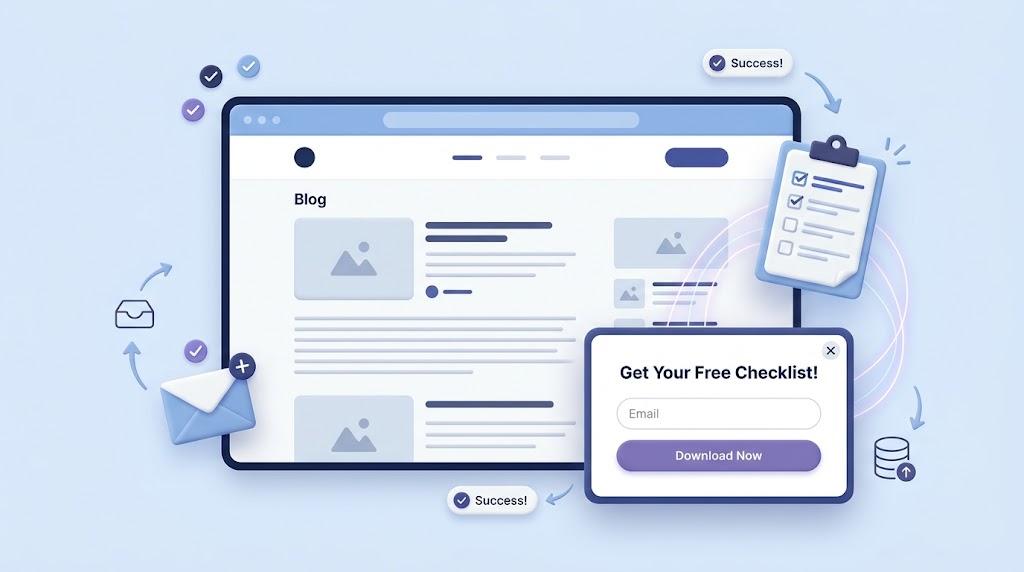
The relationship between a lead magnet and a pop-up is often described as symbiotic, but that framing hides an important hierarchy. The magnet decides whether the exchange happens. The pop-up merely controls how the offer is presented. Reverse that order of operations and you'll spend weeks tuning form layouts while the real problem — an unconvincing giveaway — sits untouched underneath.
This guide works through each layer of the pairing in sequence, starting with the offer and ending with the operational decision of when a template tool stops being sufficient.
Clarify the Giveaway Before Designing Anything
Every pop-up configuration tool offers a long menu of options: trigger types, animation styles, frequency caps, display rules. None of those settings can rescue an offer that fails to communicate value. Before opening a dashboard, define the magnet in plain language. If a colleague can't immediately understand what the visitor receives, the phrasing needs work.
Strong magnets tend to share specific characteristics. They address one problem, not five. They can be consumed in minutes rather than hours. They produce something actionable right away. A twenty-question self-assessment that maps your content strategy gaps. A reference guide of eight landing page structures, each annotated with conversion notes. A three-minute brand voice exercise with worked examples. Each of these communicates the deliverable and the effort required without asking the visitor to extrapolate. Vague offers — "tips," "insights," "updates" — require that extrapolation, and most visitors decline to do it.
Once the offer is precise, the pop-up's role narrows to a single job: delivering that offer at the right moment with minimal friction.
Anchor the Pop-up to Behavior, Not to a Clock
Elapsed time is a convenient trigger because it requires no behavioral analysis. Set it to fifteen seconds, walk away, and the system runs on its own. The problem is that a clock measures nothing about the visitor's state of mind. Someone who has been on the page for thirty seconds may still be deciding whether to stay.
Engagement signals offer better guidance. On long-form pages, scroll depth of 60 to 70 percent indicates that a reader has judged the content worth their attention. On blog pages, exit intent captures the audience segment that was interested but unconvinced — people one good reason away from converting. On product or service pages, a click-triggered prompt after a specific action (adding to cart, requesting a quote, bookmarking a product) reaches visitors whose behavior has already indicated readiness. Each of these signals tells you something about the visitor's position in their decision journey that a timer cannot.
If a website designer is involved in the page layout, ask them to incorporate pop-up zones into the initial design rather than treating them as a post-launch addition. Layouts built with those slots in mind produce cleaner visual integration and avoid the spacing conflicts that plague retrofitted components.
Assign Triggers to Visitor Segments
Different visitors reach an offer-ready state at different points. The casual first-time reader, the returning subscriber evaluating a specific resource, and the ready-to-buy visitor who has compared three products all behave differently on the page. A single trigger rule captures one of these profiles and misses the rest.
The solution is to match triggers to visitor segments rather than applying one rule universally. Scroll-depth rules work well for content-heavy pages where sustained reading signals genuine interest. Exit intent handles the engaged-but-undecided group — people who consumed your content but didn't find enough reason to hand over their email during the visit. Click-triggered units serve high-intent conversion pages where the visitor's action itself creates the opening. Avoid layering multiple triggers on the same page; doing so produces duplicate pop-ups that appear in rapid succession, which reads as careless rather than strategic.
A web design agency managing the initial implementation typically maps these trigger assignments to page templates during the build. That mapping becomes documentation, making future adjustments straightforward rather than experimental.
Treat Visual Consistency as a Functional Requirement
The argument for pop-ups that respect the reader goes beyond courtesy. Platform data and independent research consistently show that less intrusive designs convert at higher rates, which means restraint is a performance decision, not merely an ethical one. The working structure is compact: a headline naming the resource, one or two lines of context, a single call-to-action, and a close button that's easy to locate and press. Anything beyond that inventory competes with the visitor's attention for no measurable gain.
Visual integration operates on the same principle. When a pop-up uses the site's actual typography, color palette, and internal spacing — rather than a generic widget's defaults — it reads as a component of the page rather than an attachment. Visitors register this distinction at a pre-verbal level. Achieving that alignment manually through a template popup tool requires overriding dozens of default styles, which is labor-intensive and prone to breaking on future site updates. A web design agency building a custom component bakes the consistency into the structure from the beginning.
Plan the Mobile Experience as a Separate Deliverable
Handheld devices now account for the majority of web sessions across most industries, and the rules that govern desktop pop-ups don't transfer cleanly. A centered modal on a narrow screen obscures the content the visitor came to see. A trigger based on elapsed time can fire before a page finishes loading on a slower connection, producing a broken visual moment. And Google's policy against intrusive interstitials in mobile search results means poor mobile pop-up decisions carry consequences beyond user frustration.
Bottom-anchored sticky bars occupy the smallest possible footprint while remaining accessible with a single thumb. Dismissal requires one tap — no tiny close icons, no multi-step gestures. Most importantly, mobile triggers should respond to the page's load event rather than an independent timer. If a desktop pop-up configuration doesn't degrade gracefully to a mobile-appropriate format, conditional styling patches usually introduce more problems than they solve. A website designer who treats the mobile variant as a core part of the component — not a responsive afterthought — produces results that hold across the full range of screen sizes visitors actually use.
Recognize When Template Tools Hit Their Ceiling
For a single magnet distributed through a standard blog, a dedicated popup platform or your email service's built-in form handles the job. Configuration takes an afternoon, and common integrations cover delivery to most email lists without custom development work.
Outside expertise earns its place under specific conditions. A magnet embedded in a defined conversion funnel needs its pop-up to coordinate with the pages above and below it in the sequence. A pop-up on a page with bespoke templates needs to slot into that structure without visual compromise. A brand with strict design guidelines needs a component that matches the site's design system at the pixel level. In each case, template tools introduce friction that a web design agency working to a defined brief avoids entirely, delivering a unit that integrates cleanly and behaves consistently across browsers.
Larger operations face demands that no single popup tool addresses well. Multiple magnets across different page types. Page-specific trigger rules. Distinct follow-up sequences for each offer. Accessibility requirements that extend beyond basic close-button functionality. Analytics instrumentation that connects pop-up performance to downstream conversion metrics.
An experienced website designer Singapore coordinates these elements, including the quality assurance pass that catches edge-case behaviors — such as pop-ups firing on error pages or conflicting with cookie consent banners — before real visitors encounter them.
The practical guideline: work independently while the concept is unproven and the traffic volume is modest. Engage professional support once the data validates the offer and the operational complexity exceeds what template tools manage without constant manual intervention.
Errors That Suppress Performance Quietly
- Re-prompting dismissed visitors. Once someone closes the pop-up, suppress it for at least fourteen days; recurring exposure to the same offer conditions people to dismiss without reading.
- Unspecific language in the headline. "Get notified" describes no tangible deliverable — name the exact resource so the visitor can evaluate the exchange before committing.
- Collecting unnecessary data. Each form field beyond email address measurably reduces completion rates; request only the information required to deliver the resource.
- Delayed follow-up email. The welcome message must arrive within minutes of submission; a slow delivery window gives the lead time to lose interest.
- Flying without instruments. Track impressions, conversion rates, and trigger-specific performance. Without those numbers, optimization becomes a series of guesses.
Assembling the System
The pop-up and the magnet function as a single unit when each component is treated with attention proportional to its role. The offer carries the heaviest weight — get that right first. Placement follows: deploy the pop-up where engagement signals indicate the reader is ready. Triggers should correspond to the visitor's behavioral stage, not to a convenient default. Visual design should signal belonging — the pop-up as part of the page, not an overlay upon it.
And when the operational demands of the system outgrow what template tools manage, a website designer provides the structural coordination to keep everything consistent as scope expands. Do these things in order, and the pop-up transforms from an obstacle visitors tolerate into an option they actually welcome.

 English
 Arabic
 French
 Portuguese
 Deutsch
 Turkish
 Dutch
Dutch
 Italiano
 Russian
 Romaian
 Portuguese (Brazil)
 Greek
Greek