


iPhone 12 Pro Max Back Cover: Coordinating Your Cover With Wallpaper and Style
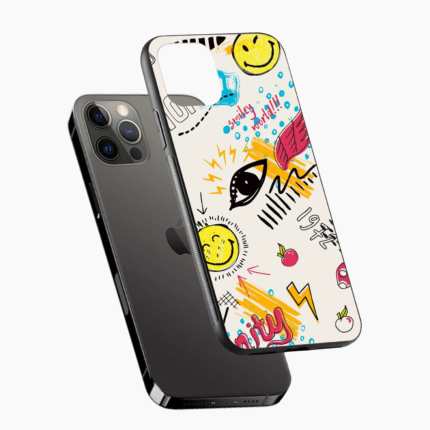
Your phone is a small stage with two scenes: the front, where your wallpaper lives, and the back, where your cover lives. When both work together, the phone feels thoughtfully put together. An iPhone 12 Pro Max back cover that complements your wallpaper turns everyday use into a small pleasure.
This guide explores colour coordination and style pairing.
Why Coordination Feels Good
Matching feels satisfying because it signals care. When your cover echoes your wallpaper or outfit, the whole setup feels intentional. It also helps you choose, because a clear colour direction narrows the endless options.
Start With Your Wallpaper
Look at the dominant colours in your wallpaper.
-
Warm images: Choose warm covers, such as coral, sand or terracotta
-
Cool images: Choose cool covers, such as blue, teal or lavender
-
Dark images: Choose deep, rich covers
-
Light images: Choose soft pastels or clean neutrals
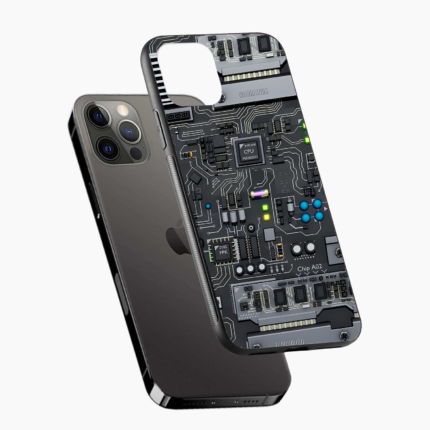
Wallpaper Types and Cover Pairings
-
Landscape photos: Neutral or earth-toned covers
-
Portraits and family photos: Simple, unobtrusive covers
-
Abstract art: Solid covers that let the art breathe
-
Minimal wallpapers: Textured or gently patterned covers
-
Dark mode aesthetics: Deep shades with subtle texture
Matching, Contrasting or Complementing
Matching
Pick a cover in the same colour family as your wallpaper. This creates a calm, unified look.
Contrasting
Pick an opposite colour for a bold, lively effect, such as a warm cover with a cool wallpaper.
Complementing
Pick a neutral cover that lets your wallpaper shine. This works well with detailed or colourful wallpapers.
Changing Wallpaper Instead of Cover
If you love your cover but want a change, update the wallpaper. If you love your wallpaper but crave variety, swap the cover. Treating the two as a pair gives you many combinations from just a few choices, which is easier on your budget.
Pairing With Outfits and Surroundings
You can coordinate with more than wallpaper.
-
Your wardrobe's main colours
-
Your bag or work desk
-
Your room or favourite café
-
Seasonal moods
If you cannot match everything, aim for harmony rather than perfection.
Thinking About Light and Dark Modes
If you use dark mode, a dark cover can make the phone feel unified. If you prefer light mode, a pale or pastel cover may suit better. Sometimes the contrast is more interesting, so experiment mentally before you decide.
Finish and Wallpaper Harmony
Finish affects mood too. A glossy cover pairs with vibrant wallpapers that feel energetic. A matte cover pairs with calm, muted images. A soft-touch cover suits warm, cosy backgrounds. Matching mood is as helpful as matching colour.
Using Patterns Wisely
Patterns add personality but can clash with busy wallpapers.
-
Pair patterned covers with calm wallpapers
-
Pair plain covers with detailed wallpapers
-
Avoid two very busy elements together
Changing the Look With the Seasons
-
Spring: Soft pastel cover with fresh wallpaper
-
Summer: Bright cover with sunny wallpaper
-
Autumn: Warm earth cover with cosy wallpaper
-
Winter: Deep rich cover with calm wallpaper
Widgets, Icons and Overall Harmony
If you arrange icons and widgets in a colour scheme, your cover can join in. A sage cover feels natural with green icons, while a charcoal cover suits monochrome layouts. Harmony across the whole phone, not just the wallpaper, gives the most polished result.Click here for more insights into iPhone 12 Pro Max Back Cover.
Keeping the Look Fresh
A coordinated look needs upkeep. Wipe the cover so colours stay vibrant, and replace it when it fades or scuffs. If the wallpaper no longer excites you, change that first.
Practical Needs Behind the Style
A coordinated phone still needs to work well.
-
Check that cut-outs match ports and camera area
-
Choose a comfortable finish for a large phone
-
Prefer raised borders for screen and lens protection
-
Confirm the listing says iPhone 12 Pro Max
Mistakes in Coordination
-
Choosing a cover that clashes with every outfit
-
Following a wallpaper trend that you will tire of quickly
-
Ignoring grip because the colour looks perfect
-
Matching so exactly that the phone feels flat
A Simple Colour Test
Hold a colour swatch or a similar object near your wallpaper. Notice whether the combination makes you smile. Your instinct is usually reliable.
Quick Buying Steps
-
Choose a colour direction from your wallpaper
-
Decide whether to match, contrast or complement
-
Check fit and edge details
-
Confirm the exact model name
-
Compare within your budget
iPhone 12 Pro Max Back Cover Options at Casetru
Visit Casetru to look around. The store lists back covers for many phone brands, including options for your iPhone 12 Pro Max. Read each description carefully before you decide.
Conclusion
An iPhone 12 Pro Max back cover that coordinates with your wallpaper makes the whole phone feel intentional. Match, contrast or complement, and keep comfort in view.
Explore iPhone 12 Pro Max back cover options at Casetru and put together a look you love.

 English
 Arabic
 French
 Spanish
 Portuguese
 Deutsch
 Turkish
 Dutch
Dutch
 Italiano
 Romaian
 Portuguese (Brazil)
 Greek
Greek