


AI Speech to Text: Turn Spoken Information Into Actionable Content
Spoken information plays an important role in modern communication. Businesses record meetings, professionals conduct interviews, teachers deliver online lessons, and creators publish podcasts and videos. These recordings contain valuable information, but accessing a specific detail can be difficult when everything is stored in audio or video format.
AI Speech to Text technology helps make recorded information easier to use by converting spoken words into written text. Instead of manually typing an entire recording, users can generate a transcript and transform it into searchable documents, research notes, articles, and other useful resources.
What Is AI Speech to Text?
AI Speech to Text is a technology that uses artificial intelligence to recognize speech and convert it into written language.
Users can process supported audio recordings and video content to create transcripts. Depending on the tool, the process may also include language detection, speaker identification, translation, and different export options.
The resulting text can be edited, reviewed, copied, or shared according to the user's needs.
How AI Speech to Text Supports Daily Tasks
Working with recorded information can involve several repetitive steps. Users may need to listen to a recording multiple times, pause to take notes, and manually type important sections.
AI transcription automates the initial conversion of speech into text. This gives users a written starting point and allows them to spend more time reviewing information and completing meaningful tasks.
Common uses include:
-
Creating written records of meetings
-
Transcribing interviews and conversations
-
Preparing notes from lectures
-
Extracting information from podcasts
-
Creating video captions and subtitles
-
Converting voice recordings into editable documents
Organize Information From Recorded Meetings
Meetings frequently include project updates, ideas, questions, and decisions. Remembering every detail can be challenging, particularly when several topics are discussed in one session.
A transcript provides a written reference that employees can revisit when needed. Teams can use it to review discussions, organize notes, and identify information that requires follow-up.
For important business decisions, users should verify the transcript before treating it as an official record.
AI Speech to Text for Sales Teams
Sales professionals often participate in customer calls, product demonstrations, consultations, and follow-up conversations.
Transcribing these recordings can help sales teams review customer requirements and identify questions that need additional attention. Written transcripts can also support internal training and help team members revisit product discussions.
When recordings contain confidential customer information, businesses should ensure that their transcription process follows appropriate privacy and data-handling requirements.
Make Customer Feedback Easier to Analyze
Customer feedback can reveal how people experience a product or service. Interviews, recorded feedback sessions, and customer discussions may contain useful suggestions that are difficult to organize manually.
AI transcription can turn these conversations into written text that teams can review and categorize.
Businesses can then look for recurring questions, product concerns, and suggestions. The transcript provides a starting point for analysis, while human review helps ensure that customer meaning and context are preserved.
Turn Webinars Into Reusable Resources
Webinars often contain detailed explanations, expert discussions, and practical advice. Once the live session ends, the recording can become a valuable source of additional content.
A transcript can help organizers create:
-
Educational articles
-
Webinar summaries
-
Email newsletters
-
Social media updates
-
Frequently asked questions
-
Downloadable notes
-
Supporting website content
This approach helps businesses and educators extend the value of a webinar beyond the original event.
Improve Podcast Research and Planning
Podcast creators may need to review previous episodes before planning a new discussion or preparing promotional material.
Transcripts make past conversations easier to search and reference. Creators can locate earlier explanations, identify strong quotes, and develop follow-up topics without repeatedly listening to entire episodes.
Transcription can also support the creation of episode descriptions and written summaries, although these materials should be edited for their intended audience.
Support Accessible Learning Materials
Written transcripts can provide an additional way for learners to access information presented through audio and video.
Students can review lecture content at their own pace, search for particular terms, and revisit explanations that need further study. Educators can use transcripts as a starting point for preparing lesson notes and supporting documents.
When transcripts are used as captions or accessibility resources, they should be checked for errors so that important information is not lost or misrepresented.
Transcribe Content Across Languages
International teams and multilingual creators may receive recordings in several languages. Processing this material can be challenging when users do not know the language spoken in every recording.
LetScribe supports more than 98 languages across supported transcription workflows and provides automatic language detection.
These capabilities can help users process multilingual audio and make recorded information easier to review. Available features may vary depending on the selected workflow.
Convert Urdu Speech Into English Text
Spoken Urdu recordings may need to be converted into English for research, education, business communication, or content creation.
LetScribe provides an Urdu-to-English transcription workflow that can convert spoken Urdu content into English text.
This can be useful for recorded interviews, conversations, educational material, and multilingual projects. Users should review the output carefully, especially when the recording contains names, idioms, or context-specific expressions.
Follow Conversations With Speaker Diarization
When several people participate in a recording, identifying who said what can be important.
Speaker diarization helps distinguish different speakers within supported transcription workflows. This can make conversations easier to follow and help readers understand how a discussion progresses.
It is particularly useful for interviews, group meetings, podcasts, and research conversations involving multiple participants.
Export Text for Different Projects
Once a transcript is ready, users may need to edit it, share it, or use it in another application.
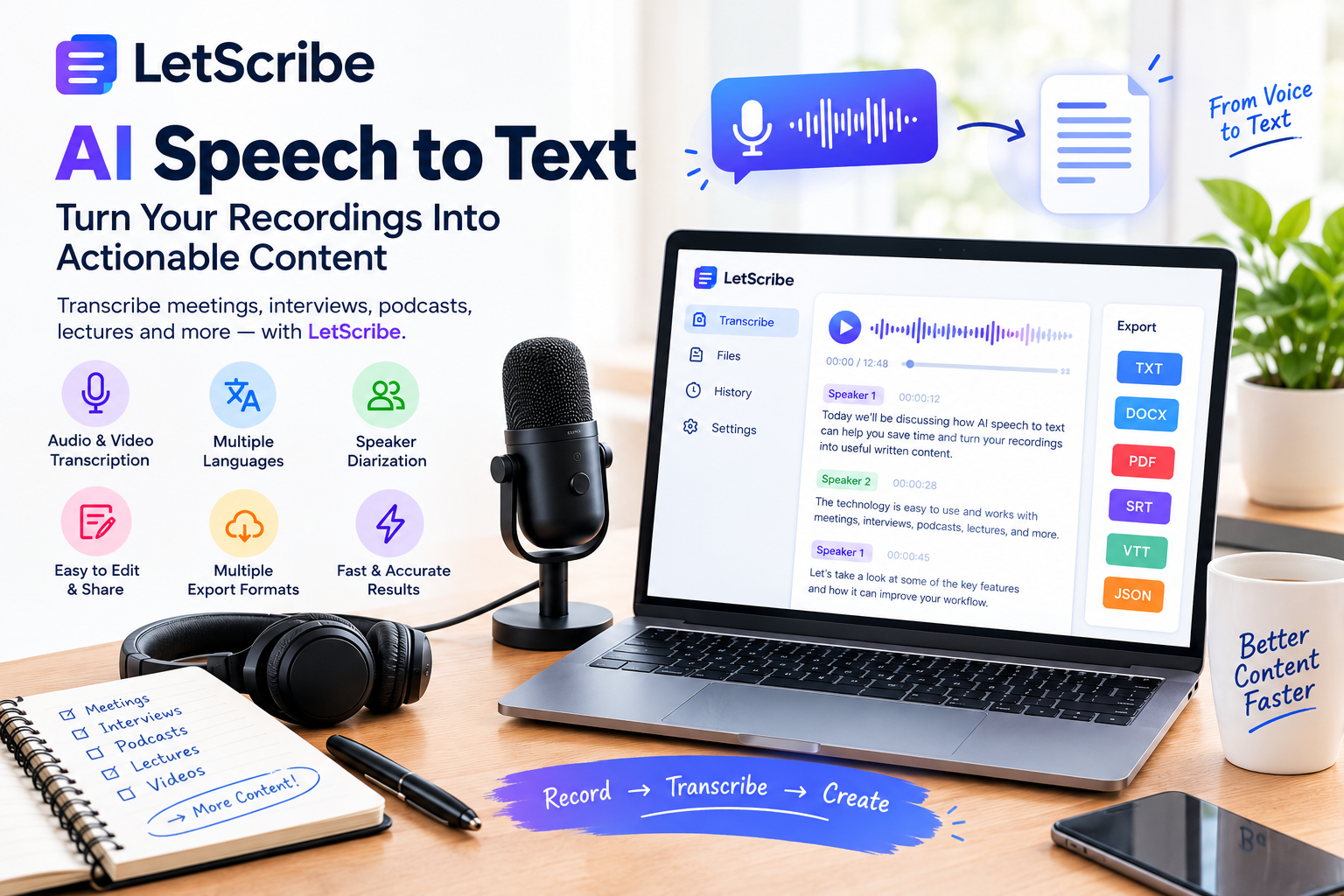
LetScribe supports several export formats, including TXT, DOCX, PDF, SRT, VTT, and JSON.
Each format can serve a different purpose. TXT and DOCX are useful for working with written content, PDF can support document sharing, and SRT or VTT can be used for subtitle workflows. JSON may be helpful when structured transcript data is required.
Practical Ways to Improve Transcription Quality
AI transcription can reduce manual work, but recording quality and careful review remain important.
Record in a Quiet Space
Choose an environment with minimal background noise so that spoken words are easier to recognize.
Use Clear Audio
A suitable microphone and consistent speaking volume can help produce a more readable transcript.
Reduce Overlapping Speech
When possible, speakers should avoid talking simultaneously, especially during interviews and group discussions.
Review Names and Numbers
Check names, dates, figures, technical terminology, and important statements before using the transcript in a professional document.
Protect Sensitive Recordings
Before uploading business meetings, customer calls, or private conversations, check the applicable consent requirements and the platform's privacy and data-handling policies.
Turn One Recording Into Multiple Content Assets
Transcription can help users reuse information instead of starting every content project from scratch.
For example:
Customer Interview → Transcript → Feedback Summary → Blog Article → Social Media Posts
Similarly, a webinar can become an educational article, a podcast can provide material for a newsletter, and a lecture can become study notes.
The key is to review the original information and adapt it to each format rather than publishing the raw transcript without editing.
How LetScribe Helps With AI Speech to Text
AI Speech to Text is a transcription workflow available through LetScribe that helps users convert spoken audio into written content.
The platform offers capabilities such as automatic language detection, speaker diarization, translation, and multiple export options. These features can support different workflows involving interviews, meetings, podcasts, lectures, and other recordings.
After generating a transcript, users can review the text and prepare it for documentation, research, or content creation. This creates a more convenient path from recorded information to practical written resources.
Why AI Speech to Text Is Valuable for Modern Workflows
Recorded information is useful only when people can access and understand it efficiently. As businesses, educators, and creators produce more audio and video content, transcription provides a practical way to make that information easier to manage.
AI Speech to Text can reduce repetitive typing, improve access to recorded conversations, and support content repurposing. When combined with careful review and editing, it can help transform recordings into useful material for everyday work.
Frequently Asked Questions
What is AI Speech to Text used for?
AI Speech to Text converts spoken language into written text. Common applications include meeting documentation, interview transcription, podcast content, educational recordings, and video subtitles.
Can AI transcribe business calls?
Yes. Supported recordings of business calls can be transcribed for review and documentation, subject to applicable consent, privacy, and data-handling requirements.
Can transcripts help with customer research?
Yes. Transcripts make recorded customer conversations easier to review, search, and organize when analyzing feedback and recurring themes.
Does LetScribe support multiple languages?
Yes. LetScribe supports more than 98 languages across supported transcription workflows and provides automatic language detection.
Can I convert spoken Urdu into English text?
Yes. LetScribe provides an Urdu-to-English transcription workflow for converting spoken Urdu content into English text.
What is speaker diarization in AI transcription?
Speaker diarization is a feature that helps distinguish different speakers within a recording, making multi-person conversations easier to follow.
Which formats can LetScribe export?
LetScribe supports TXT, DOCX, PDF, SRT, VTT, and JSON export formats.
Should I edit an AI-generated transcript before publishing?
Yes. Review the transcript for accuracy, grammar, names, numbers, context, and readability before publishing or sharing it.

 English
 Arabic
 French
 Spanish
 Portuguese
 Deutsch
 Turkish
 Dutch
Dutch
 Italiano
 Russian
 Romaian
 Portuguese (Brazil)