


White Label Credential Monitoring | How It Works
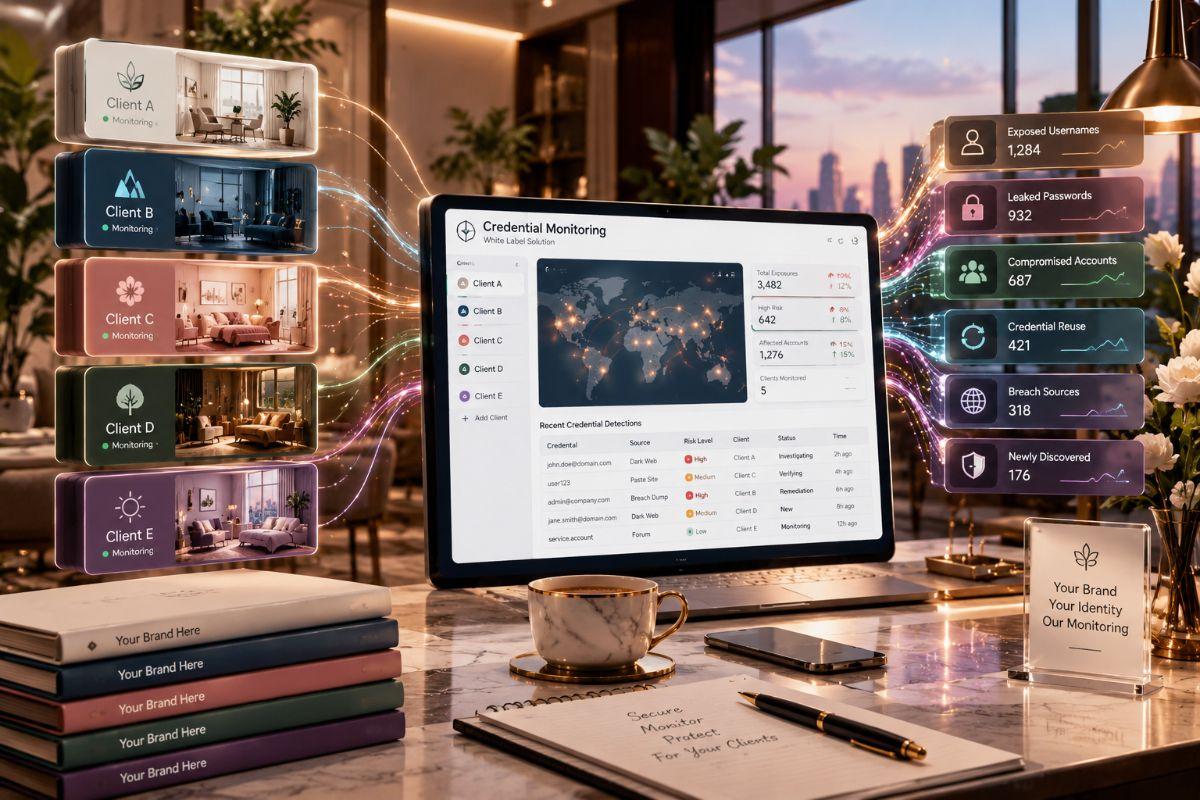
Most demos of credential monitoring show the same thing: a clean dashboard, a list of exposed emails and a confident promise that your clients are covered. What they rarely show is everything underneath. Where does the data come from? How does a messy stealer log turn into a single readable alert? What stops one client's findings from showing up in another client's account? And what exactly changes when the product wears your logo instead of the vendor's?
Those questions matter because a provider's reputation rides on the answers. This article opens the hood on white label credential monitoring and walks through the data pipeline, the tenant model and the branding layers one at a time. If you are weighing a white label credential monitoring platform for your own client base, understanding the mechanics will help you spot the difference between a polished front end and a platform that holds up in daily operations.
What Is White Label Credential Monitoring?
White label credential monitoring is a vendor-built platform that detects exposed logins tied to client domains and lets a service provider present the whole experience under its own brand. The provider handles client relationships and response, while the vendor operates data collection, matching and the underlying infrastructure.
A useful way to picture it is a restaurant kitchen. The diner sees the restaurant's name, menu and service. A supplier prepares part of the food behind the scenes. Nobody calls that dishonest, because the restaurant stands behind what it serves. In the same way, a provider that resells credential monitoring takes responsibility for how alerts are handled, how reports read and how quickly clients get help.
You may see the same idea described as private label credential monitoring, rebrandable credential monitoring, or credential monitoring as a service. The terms differ slightly in tone, but they all describe a product the provider can present as its own. The related phrase multi-tenant credential monitoring platform describes how it is built: many separate client accounts running on shared infrastructure, each kept apart from the rest.
How White Label Credential Monitoring Works: The Data Pipeline
The data pipeline has seven steps: sourcing, ingestion, parsing, deduplication, matching, enrichment and alerting. Each step removes noise, so that what reaches your analysts is a small number of findings worth acting on rather than a flood of raw criminal data.
Step 1: Sourcing
Everything starts with where the data comes from. Credential exposure surfaces in several kinds of places:
-
Dark web marketplaces that sell stolen accounts and remote access
-
Breach forums where leaked databases are posted or traded
-
Messaging channels where infostealer logs are shared or sold
-
Paste sites where credentials and internal data are dumped
-
Combination lists, which are bulk files of email and password pairs compiled from many breaches
Vendors gather this material through a mix of automated collection, researcher access and data exchange with other intelligence sources. Methods differ and none can promise complete visibility, because many communities are closed and sources appear and vanish quickly.
Step 2: Ingestion
Collected files arrive in every shape imaginable. Some are small text files. Others are large archives holding thousands of device records. Ingestion is the stage where the platform receives these files, checks them and queues them for processing at scale. A weak ingestion layer shows up later as delays between the moment data appears and the moment you hear about it.
Step 3: Parsing
Parsing turns raw files into structured records. An infostealer archive might hold browser-saved logins, autofill entries, cookies, installed software lists and system details. Researchers have long noted that stealers target browser-stored credentials and MITRE ATT&CK documents the collection of credentials from web browsers as its own sub-technique. A good parser separates these elements into fields, so that a login, a service name and a cookie each become searchable items.
Step 4: Deduplication
The same leaked record often appears many times. A combination list may be copied across forums and repackaged for weeks. Deduplication recognizes repeats, so your team sees one finding rather than twenty. It also helps separate new exposures from recycled ones, which matters for alert quality.
Step 5: Matching
Matching compares structured records against what each client has registered. The main asset is the email domain. Many platforms also allow subdomains, executive names and brand terms. When a record includes an address on a registered domain, it becomes a candidate alert for that client's workspace only.
Step 6: Enrichment
A match alone says little. Enrichment adds the details that decide urgency. These usually include whether the password is plaintext or hashed, how recent the data is, what service the login belongs to and whether the record sits next to session cookies or device information that suggests an active infection.
Step 7: Alerting and delivery
Finally, the platform scores the finding and routes it. The alert might land in a dashboard, an email, a ticketing system, a SIEM, or a chat channel. In a provider setting, routing is as important as detection. An alert placed in the wrong tenant, or sent to a shared inbox no one owns, defeats the purpose of the whole pipeline.
The Brand Layers: What Actually Changes When It Is Your Product
A genuine white-label product lets you control six layers of the client experience: the interface, the web address, the notifications, the reports, the integrations and the support path. Weak products change only the first. Strong ones change all six.
The interface
This is the dashboard your clients or your analysts log into. It should show your logo, your colors and your product name. Ask whether any vendor marks remain in footers, help links, or error pages.
The web address
A custom domain lets the platform run at an address you control, so the client never sees a vendor URL in the browser bar. This is a small detail that signals how deep the white-label support really goes.
The notifications
Alert emails and messages should carry your name and sender details. If notifications arrive from a vendor address, clients will notice and the illusion breaks at the very moment the alert matters most.
The reports
Reports are often the main product clients see. Check that exported files carry your branding, use your wording and leave no vendor watermark. Ask to see a sample with all vendor traces removed.
The integrations
Your team will probably connect alerts to tools such as ticketing systems and SIEM platforms. White-label platforms that expose an API give you room to build your own client portal or to pull findings into existing reports.
The support path
Decide who answers client questions. In many setups, the provider is the first line and the vendor supports the provider behind the scenes. Clarify this in writing so that clients never get bounced between parties.
Tenant Isolation and Access Control
Tenant isolation means each client's assets, alerts, users and history live in a separate workspace that no other client can see. Combined with RBAC, it protects both your clients and your reputation. A single cross-tenant leak would be far more damaging than any missed alert.
When you evaluate a white label credential monitoring vendor, ask how separation is enforced rather than accepting a general claim. Useful questions include how tenant data is stored, whether each tenant has its own access boundaries and what the audit trail records.
RBAC deserves its own attention. A typical provider needs at least these roles:
-
Provider administrator: manages tenants, branding and settings.
-
Analyst: works alerts across many clients.
-
Account manager: reads reports and prepares client communication.
-
Client contact: sees only their own organization.
-
Read-only auditor: views findings without changing anything.
Audit logs should record who viewed or changed what. If a client ever asks who accessed their exposure data, you want a clear answer.
What Credential Data Looks Like Inside the Platform
Not all exposed credentials carry the same risk. Knowing the common data types helps you read alerts correctly and decide how fast to respond.
Plaintext passwords. These are readable as they appear. They carry high risk, especially if recent, because an attacker can use them immediately.
Hashed passwords. These are scrambled by an algorithm. Risk depends on the hashing method and the strength of the original password, since weak ones can be cracked.
Stealer log entries. These come from infected devices and can include logins, cookies and system details. They often signal that a device needs attention, not just an account.
Session cookies and tokens. A valid session can let an attacker skip the login screen, so passwords alone are not the full story.
Combination list entries. These are bulk email and password pairs, often recycled from older breaches. They are useful for spotting reuse but may not indicate a new compromise.
A platform that labels these types clearly saves your analysts from guessing and helps clients understand why one alert is urgent while another is routine.
Why MSSPs, MSPs and MDR Providers Need It
Providers need it because credential theft is a common way in, clients cannot observe criminal channels on their own and building collection capability from scratch is slow. A white-label platform converts a hard research problem into a service you can sell and support.
For MSSPs, it adds a visible outside-in layer to the services you already deliver. For MSPs moving into security, it offers a practical first service that does not require a threat research team. For MDR providers, exposure data adds context to investigations. When an unusual sign-in appears, knowing that the same account showed up in a stealer log last week shortens the path to an answer.
The business logic is simple. The platform handles volume. Your people handle decisions and client relationships. Because the product wears your brand, the trust you build flows back to you rather than to a vendor your client has never heard of.
Key Features to Look For
The features that matter most are the ones that hold up under daily use: real branding control, strict tenant separation, clear credential labeling, low-noise alerts, sound integrations and client-ready reporting.
-
Branding depth: interface, domain, notifications and reports all customizable.
-
Multi-tenant design: separate workspaces, fast onboarding, bulk import.
-
Credential labeling: plaintext, hashed, cookie and stealer log distinctions.
-
Freshness and deduplication: first-seen dates and repeat suppression.
-
Executive monitoring: named-person tracking with consent.
-
Integrations: ticketing, SIEM, SOAR, chat and a documented API.
-
Reporting: scheduled, branded summaries in plain language.
-
Honest source disclosure: clear statements about what is and is not covered.
Ask for these in a live trial on real client domains, with permission, rather than relying on a demo environment.
Four Levels of White-Label Depth Compared
Not every platform that calls itself white label offers the same depth. The table below separates four common levels so you can see what each one gives you and what it leaves out.
|
Factor |
Logo-only rebrand |
Full white label |
API-only embedded |
Co-branded |
|
What you control |
Logo and colors |
Interface, domain, emails, reports |
Everything, through your own portal |
Shared branding with the vendor |
|
Vendor name visible to clients |
Often |
No |
No |
Yes |
|
Effort to launch |
Low |
Low to moderate |
High, you build the front end |
Low |
|
Custom domain |
Rarely |
Typically |
Your own domain by design |
Sometimes |
|
Report branding |
Limited |
Full |
You build the reports |
Shared |
|
Best fit |
Quick pilots |
Providers selling under their own name |
Providers with strong development teams |
Providers happy to credit a partner |
|
Main limitation |
Clients may spot the vendor |
Depends on vendor quality |
Engineering time and upkeep |
Weaker brand ownership |
For most providers, a full white label gives the best balance. API-only suits teams with developers who want a fully custom client portal. Co-branded works when you are comfortable naming a technology partner.
Use Cases by Client Type
The same platform serves different clients in different ways. Matching the use case to the client makes the service easier to explain.
Remote and hybrid workforces. Staff often sign in from personal devices that the company does not manage. If one is infected, its stored logins can end up in a stealer log. Monitoring catches that exposure without needing to see the device.
SaaS-heavy companies. When most work lives in cloud apps, a stolen login or session may be enough to reach sensitive data. Credential alerts give early warning.
Businesses with many contractors. Third parties often hold access. Exposure of a contractor's work email can be the first sign of risk to the client.
Executive and finance teams. These accounts are common targets for impersonation and payment fraud. Monitoring named leaders adds a premium option to your service.
Growing companies with no security team. Clients with limited staff benefit from a provider who watches outside sources on their behalf and explains findings in plain terms.
Connecting Credential Alerts to the Rest of Your Stack
Alerts are most useful when they connect to the systems your team already uses. A short list of common connections shows where value comes from.
Ticketing. Each alert becomes a ticket with an owner and a due time, so nothing sits unseen.
SIEM and SOAR. Exposure alerts can enrich sign-in logs and trigger playbooks, such as forcing a session revocation when a fresh stealer log match appears.
Identity provider. Pairing an exposure alert with sign-in activity helps you tell whether an exposed account was actually used by someone else.
Endpoint tools. If an alert suggests an active infostealer, your endpoint platform can help isolate and scan the affected device.
Chat and notifications. Routing urgent alerts to a monitored channel shortens response time.
Ask each vendor how these connections work in practice and test at least one of them during your trial.
Data Handling and Privacy Questions to Ask
Credential monitoring involves sensitive data, so handling practices matter as much as detection. Ask direct questions and get answers in writing.
-
Does the platform store full plaintext passwords, or does it mask them in the interface?
-
Who at the vendor can see client exposure data and under what conditions?
-
How long is data kept and can it be deleted on request?
-
How is data protected in storage and in transit?
-
What happens to your clients' data if you leave the platform?
Do not assume any particular certification or compliance status. If a vendor claims one, ask for documentation and verify it yourself. Also make sure your contracts state which domains and people you are authorized to monitor and keep that approval on file.
Limits and False Positives
Every monitoring service has limits and clients trust providers who say so. Coverage is never complete, because closed communities and private sales stay out of reach. An alert shows exposure, not proof that anyone misused the data. Old, recycled records can look new if a platform handles freshness poorly. And accounts on unregistered domains go unwatched, so clients must keep their asset lists current.
Build these points into your sales conversations and your first report. Setting expectations early prevents disappointment later and protects your credibility when a client asks why something was not flagged.
Common Mistakes When Choosing or Running the Service
Trusting a demo without a trial. Demos use clean sample data. Real domains reveal noise, delays and coverage gaps.
Accepting a logo swap as white label. Test the domain, emails, reports and error pages for vendor traces.
Skipping the baseline review. The first scan may reveal a backlog of old exposures. Sort and summarize before presenting it, so clients are informed rather than alarmed.
Sharing raw credentials in reports. Reports travel by email. Mask sensitive details and share only what the reader needs.
No response runbook. Without agreed steps, analysts act inconsistently. Write a short runbook covering password resets, session revocation, MFA checks and device scans.
Ignoring tenant hygiene. Review user lists regularly, remove old accounts and keep roles tight.
Overpromising. Credential monitoring is an early warning layer. Position it beside MFA, endpoint protection and good password practices.
Interesting Facts and Key Stats
These points come from public sources and are stated in general terms. Reports update regularly, so confirm the latest information before quoting it to clients.
-
MITRE ATT&CK documents the collection of credentials from web browsers as a specific sub-technique, which matches how infostealers often work.
-
The OWASP Top 10 includes a category for identification and authentication failures, a reminder that weak login handling remains a leading application risk.
-
The CIS Critical Security Controls include account management and access control management as core safeguards, which pair naturally with credential exposure monitoring.
-
CISA's Cross-Sector Cybersecurity Performance Goals include account-related practices such as multi-factor authentication, giving providers a recognized reference when advising clients.
-
In February 2024, an international law enforcement action known as Operation Cronos disrupted the infrastructure of the LockBit ransomware group, including its leak site, showing how central leak sites are to extortion operations.
-
Security researchers have widely reported that infostealer logs are distributed through messaging channels as well as traditional dark web sites, which is why platforms increasingly cover more than Tor-based sources.
Conclusion
White label credential monitoring lets a provider offer stolen credential detection under its own name while a specialist vendor runs the heavy machinery of collection, parsing, matching and enrichment. The value to you depends on how well that machinery works and how deeply the branding goes.Look beneath the dashboard. Ask about sources, parsing, deduplication and enrichment. Test tenant isolation and RBAC. Confirm that the interface, domain, emails and reports all carry your brand and plan how alerts will flow into your ticketing and SIEM tools. A platform that passes those checks gives you a service clients can see and trust.To see how a provider-focused platform handles these layers, visit Mispar and compare it against the questions in this guide.
Frequently Asked Questions (FAQs)
How does white label credential monitoring work?
The vendor collects data from dark web marketplaces, breach forums and stealer log channels, parses it, removes duplicates and matches it to each client's registered domains. The provider receives enriched alerts in a branded, multi-tenant console and delivers them to clients under its own name.
What is the difference between white label and private label credential monitoring?
The terms are often used interchangeably. Both describe a platform the provider presents as its own. Some vendors use white labels for a rebrandable product built by a third party, but the exact meaning varies, so confirm what branding controls are included.
What should be customizable in a white-label credential monitoring platform?
Look for the interface, custom domain, alert emails, exported reports and support path. Also confirm that no vendor marks remain in footers or error pages and ask for a sample report with all vendor branding removed.
How do MSSPs keep client data separate in a multi-tenant platform?
Each client gets its own workspace with separate assets, alerts and users and RBAC limits what each role can see. Ask the vendor how isolation is enforced and what the audit log records.
Can white label credential monitoring detect infostealer exposure?
Many platforms can flag exposures that appear to come from infostealer logs, including saved logins and session data. Coverage varies by vendor, so ask how stealer log data is sourced and how such alerts are labeled.
Does white label credential monitoring replace MFA or endpoint security?
No. It is an early warning layer that helps you find exposed credentials sooner. It works best alongside MFA, endpoint protection and strong password practices.

 English
 Arabic
 French
 Spanish
 Portuguese
 Deutsch
 Turkish
 Dutch
Dutch
 Russian
 Romaian
 Portuguese (Brazil)
 Greek
Greek