


How to Design Business Flyers That Capture Customer Attention
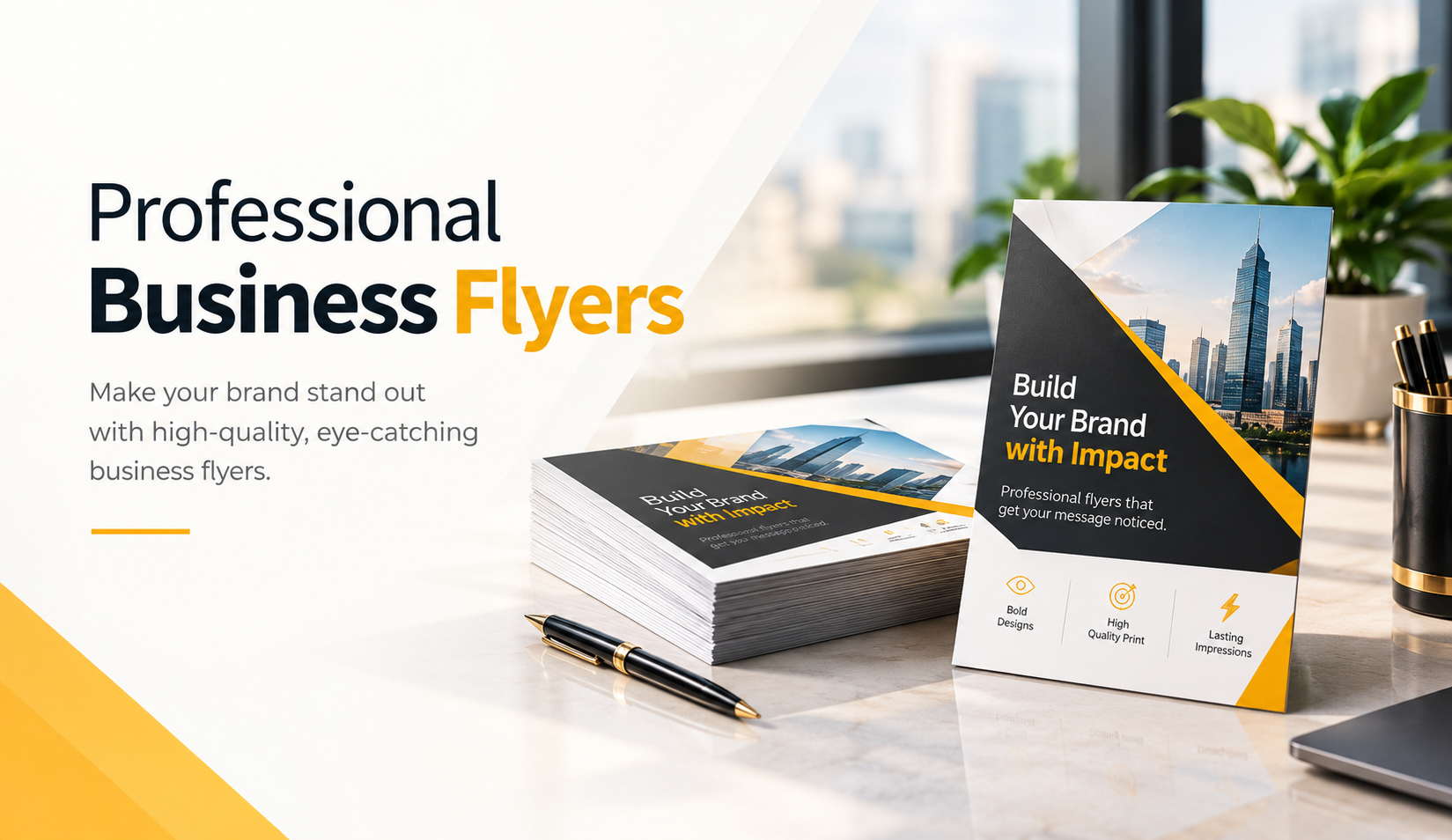
Business owners often invest time and money in printed marketing materials, only to discover that customers barely notice them. A flyer might contain an attractive image, a special offer, and contact information, yet still fail to encourage a response. The problem usually comes down to how the business presents its message.
We have seen how small design decisions influence whether customers stop to read a flyer or move on without a second glance. Clear headlines, readable layouts, relevant images, and thoughtful printing choices can make an important difference. Successful flyer design starts with understanding what customers need to know and what action they should take.
Whether a business wants to announce a new service, promote a seasonal offer, or reach nearby customers, professionally designed Business Flyers provide a practical way to communicate directly. The goal isn't simply to create something attractive. We want every design element to help customers understand the message and recognize its value.
Why Business Flyer Design Matters for Customer Engagement
Printed flyers give businesses an opportunity to reach customers outside digital advertising. People encounter them at local events, retail counters, community locations, and neighborhood promotions. However, physical distribution alone does not guarantee that anyone will read the message.
We often notice that businesses try to include every product, service, and promotion on a single flyer. Although the intention makes sense, too much information creates visual confusion. Customers need a clear reason to pay attention before they consider the finer details.
The Importance of First Impressions
A customer usually forms an initial impression of a flyer within a few moments. The headline, overall layout, and primary image influence that reaction. When these elements work together, customers can quickly understand what the business offers.
We recommend approaching flyer design from the customer's perspective rather than the business owner's. Instead of asking how much information can fit on the page, consider which details deserve immediate attention. This shift often leads to cleaner layouts and stronger communication.
Understanding Your Target Audience
Different audiences respond to different messages. A family restaurant might highlight meal combinations and affordable dining, while a real estate agency might focus on property photography and neighborhood information. The same design approach rarely works equally well for both.
Before starting the artwork, we encourage businesses to identify their ideal customers, their common concerns, and their reasons for responding. A flyer that addresses a specific need usually communicates more effectively than one that tries to appeal to everyone.
How to Design Business Flyers With a Clear Visual Hierarchy
Visual hierarchy determines which elements customers notice first, second, and third. Without it, every section competes for attention, making even valuable information difficult to understand. A structured layout guides the reader naturally from the headline to the offer and finally to the contact details.
We generally build flyer layouts around one main message and a small number of supporting details. This approach helps preserve white space while keeping essential information visible. It also prevents decorative elements from distracting customers from the intended action.
Create a Headline That Communicates Value
A strong flyer headline explains the main benefit without requiring customers to read several sentences. Business owners sometimes choose clever slogans that sound appealing but fail to explain the actual offer. Creativity helps, but clarity should come first.
For example, a cleaning company promoting a seasonal service could use "Refresh Your Home This Spring" rather than a vague phrase such as "Experience the Difference." The first option establishes a clear context. Supporting text can then explain the service, pricing, or promotion.
Organize Information in a Logical Order
Readers should never have to search for the most important details. We usually recommend placing the headline prominently, followed by a short explanation, relevant offer information, and an obvious call to action. Supporting contact details should remain easy to locate.
A restaurant flyer might feature a lunch promotion, a photograph of the meal, the offer dates, and instructions for ordering. Customers can understand the message without reading an entire paragraph. That simplicity supports faster decisions.
Use White Space to Improve Readability
White space refers to the empty areas between design elements. It does not necessarily mean a white background. Even a dark or colorful flyer needs breathing room between headlines, images, and supporting information.
We often find that reducing unnecessary text improves a flyer more than adding decorative graphics. When the design provides adequate spacing, customers can distinguish important details without feeling overwhelmed.
Choosing the Right Colors, Fonts, and Images for Business Flyers
Visual consistency helps customers recognize a business across different marketing materials. Colors, typography, and photography should support the brand rather than compete with one another. A flyer can look modern and attractive without relying on complicated effects.
We recommend creating a simple visual system before arranging the final layout. Establishing a limited color palette, consistent font styles, and a clear photography direction helps prevent last-minute design conflicts.
Select Colors That Match Your Brand Identity
Color influences the atmosphere of a flyer and helps separate information visually. A healthcare office might prefer calm, clean colors, while a children's activity center could use brighter combinations. The best choice depends on the audience and the message.
We suggest using two or three primary colors and introducing additional accents only when necessary. Maintaining strong contrast between text and background also matters. Attractive colors lose their usefulness when customers struggle to read the information.
Choose Typography for Readability
Decorative fonts may look interesting on a computer screen, but they can create problems in smaller printed formats. Thin lettering, unusual shapes, and excessively narrow spacing make important details harder to recognize.
We generally recommend one prominent font for headings and a complementary, readable font for body text. Consistent font sizes establish structure, while bold styling draws attention to meaningful information such as dates, offers, and contact details.
Use Authentic, High-Quality Photography
Images should help customers understand the actual product or service. A bakery benefits from clear photographs of its food, while a landscaping company can demonstrate its work through real project images. Relevant visuals provide context that generic decorative graphics often cannot.
We encourage businesses to use their own photographs whenever possible. When original photography isn't practical, carefully selected professional images can still support the message. Regardless of the source, images need sufficient resolution to reproduce clearly at the intended print size.
Writing Flyer Content That Encourages Customer Action
Effective flyer copy does not require long explanations or complicated marketing language. Customers want to know what the business offers, why it matters, and how they can respond. The message should answer those questions quickly.
We frequently see flyers that emphasize company history while overlooking practical customer benefits. Background information can build trust, but the main message should focus on the immediate reason someone might choose the service.
Focus on Benefits Instead of Long Service Lists
A list of services tells customers what a business does. A benefit-focused message explains how those services help. Both types of information have value, but benefits often make the initial message easier to relate to.
For example, a home cleaning company could emphasize "More Time for Your Family" before introducing its cleaning packages. The headline connects with a real customer concern, while the supporting copy provides the practical information needed to evaluate the offer.
Keep Offers Specific and Easy to Understand
Unclear promotions create unnecessary questions. Customers should understand what the offer includes, when it applies, and whether any important conditions affect their decision.
We recommend checking promotional language before printing, especially for discounts, limited-time packages, and event announcements. A simple offer with accurate details often communicates better than an exaggerated claim that requires several explanations.
Create a Clear Call to Action
Every promotional flyer should guide customers toward a next step. That action might involve visiting a website, calling for an appointment, scanning a QR code, attending an event, or visiting a store.
We suggest choosing one primary call to action instead of presenting several equally prominent options. For example, "Book Your Consultation" creates a specific direction, while multiple competing instructions can make the next step less obvious.
Selecting the Best Flyer Size, Paper, and Print Finish
A strong digital design can lose some of its impact when businesses overlook physical printing specifications. Paper thickness, surface finish, and flyer dimensions influence how the material looks and feels. They also affect production costs and distribution convenience.
We recommend making these decisions early rather than treating printing as the final step. The intended use should guide the specifications, whether the business needs economical neighborhood handouts or more substantial promotional pieces.
Match Flyer Size to the Marketing Purpose
Common sizes include 4 × 6 inches, 5.5 × 8.5 inches, and 8.5 × 11 inches. Smaller formats work well for short announcements and compact promotions, while larger layouts offer more space for photographs and detailed information.
We encourage businesses to consider how customers will receive the flyers. Counter displays, door-to-door distribution, direct mail, and event handouts all introduce different practical requirements. The most appropriate size balances readability, content, convenience, and cost.
Choose Paper That Supports Your Design
Paper influences color appearance, image sharpness, handling, and overall presentation. Heavier stocks can provide a more substantial feel, while lighter paper often makes sense for large-volume distribution.
We also consider the relationship between paper texture and artwork. Smooth coated sheets commonly support crisp commercial graphics, while certain textured papers suit specialized creative applications. Businesses exploring artistic print materials can learn more about paper selection for watercolor prints to understand how different surfaces influence printed artwork.
Compare Matte and Glossy Finishes
Glossy finishes can give photographs a lively appearance and increase surface reflectivity. Matte finishes produce a quieter look and may make certain text-heavy layouts more comfortable to read under strong lighting.
We recommend reviewing both options against the flyer’s purpose rather than assuming one finish always looks more professional. A product-centered promotion may benefit from gloss, while a minimalist corporate announcement might suit a matte surface.
Common Business Flyer Design Mistakes to Avoid
Businesses sometimes focus heavily on making their flyers attractive while overlooking the practical details that determine usability. A visually appealing design can still fail when customers cannot read the text, understand the offer, or find contact information.
We find that a careful review before printing can prevent many common problems. Instead of judging the design only on a large monitor, evaluate how customers will experience the actual printed material.
Adding Too Much Information
One of the most common mistakes involves treating a flyer like a complete company brochure. Businesses include lengthy service descriptions, multiple promotions, testimonials, and extensive contact information on a small page.
We recommend prioritizing the message according to the flyer’s main objective. If a detail does not support that objective, consider removing it or directing customers to a website for additional information.
Using Low-Resolution Images
Images that appear acceptable on a phone can lose clarity when enlarged for printing. Pixelated product photographs or blurry backgrounds reduce the quality of the presentation.
We recommend checking image resolution at the final print dimensions. For many standard commercial print projects, 300 pixels per inch at actual size provides a useful target, although production requirements can vary. Confirm image suitability with the printer before approving the artwork.
Ignoring Bleed and Safe Margins
Flyers with backgrounds or images extending to the edges need adequate bleed. Without it, small cutting variations can leave unwanted white borders around the finished piece.
We commonly recommend approximately 0.125 inch of bleed on each side, subject to the printer's requirements. Important text and logos should also sit comfortably inside the trim edge. These simple precautions help preserve the intended layout during production.
Forgetting to Proofread Important Details
A flyer can look excellent and still cause problems because of an incorrect telephone number, outdated event date, or misspelled website address. These mistakes create avoidable frustration and additional printing expenses.
We recommend reviewing the final file separately for copy, design, and technical accuracy. Testing QR codes and confirming promotional terms before production can prevent errors that might otherwise affect the entire campaign.
How to Make Printed Flyers More Effective in Local Marketing
Good flyer design forms only one part of a successful local marketing effort. Distribution determines whether the material reaches people who might need the product or service.
We recommend connecting the design strategy with the distribution plan from the beginning. A flyer for an event audience may need different information from a flyer targeting homeowners within a specific neighborhood.
Distribute Flyers Where Relevant Customers Gather
Businesses can share flyers through local events, retail partnerships, trade shows, checkout counters, community locations, and direct mail campaigns where permitted. The most useful approach depends on the intended audience.
For example, a fitness studio might connect with nearby wellness businesses, while a home services provider could focus on selected residential areas. We encourage businesses to prioritize audience relevance rather than relying entirely on distribution volume.
Connect Print Advertising With Digital Channels
Printed flyers and digital marketing can support the same campaign. A flyer may introduce a service, while a landing page provides detailed information, appointment scheduling, or online ordering.
We recommend maintaining consistent messaging between the printed material and its destination. If a flyer promises a particular promotion, the linked page should explain the same offer clearly. Consistency reduces confusion and creates a smoother customer experience.
Measure Responses to Improve Future Campaigns
Businesses do not need complicated analytics systems to learn from flyer campaigns. Dedicated promotional codes, campaign-specific landing pages, QR codes with tracking parameters, and staff questions about referral sources can provide useful information.
We recommend recording distribution quantities, locations, dates, costs, and customer inquiries. These observations help businesses compare different approaches and make more informed decisions about future printing and marketing budgets.
Practical Tips for Preparing Print-Ready Business Flyers
Before submitting artwork for printing, businesses should inspect the actual file rather than relying solely on a design preview. Screen colors, paper surfaces, trim settings, and image quality can influence the finished result.
We encourage clients to request the printer's specifications before finalizing a layout. This reduces unnecessary revisions and helps ensure the artwork matches the selected dimensions, materials, and production process.
Review File Format and Color Settings
Many commercial printers prefer PDF files with properly embedded fonts, appropriate images, and accurate page dimensions. Some accept editable design files, but requirements depend on their production workflow.
We recommend checking whether the printer requires CMYK artwork, a particular PDF standard, or a specific color profile. Bright screen colors do not always reproduce identically in print, so important brand colors deserve additional attention.
Check Readability at Actual Print Size
A flyer may look perfectly readable when a designer zooms in on the artwork. However, smaller text can become uncomfortable to read after printing, especially when it appears over detailed photography.
We recommend reviewing the design at actual size or printing a sample on an office printer for an initial readability check. A professional production proof may help verify color and finishing expectations when the campaign demands closer control.
Confirm Quantities Before Ordering
Ordering additional flyers can reduce the unit price, but unnecessary quantities still increase total spending. Businesses should consider the distribution schedule, campaign duration, and possibility of information changes before committing to a large print run.
We recommend separating evergreen marketing materials from time-sensitive promotions. A general services flyer may remain useful for months, while an event announcement can quickly lose its value after the event date.
Frequently Asked Questions About Business Flyer Design
What makes a business flyer effective?
An effective business flyer communicates one clear message with a strong headline, relevant visuals, readable text, and a specific call to action. We recommend focusing on customer benefits and removing unnecessary information. Good design helps people recognize the offer quickly, while appropriate distribution helps the flyer reach the intended audience.
What is the best size for a business flyer?
The best size depends on the amount of information and the distribution method. We often consider 4 × 6 inches for compact promotions, 5.5 × 8.5 inches for general marketing, and 8.5 × 11 inches for more detailed announcements. Businesses should select a size that keeps the message readable without increasing printing costs unnecessarily.
Should business flyers use matte or glossy paper?
Both finishes have practical advantages. Glossy paper can enhance certain product photographs, while matte paper offers a subtler appearance and often reduces distracting reflections. We recommend matching the finish to the design, intended audience, and viewing conditions rather than choosing solely by appearance.
How can small businesses improve flyer response rates?
Small businesses can improve their flyer campaigns by targeting relevant audiences, communicating one specific benefit, and including a clear next step. We also recommend testing different headlines, offers, and distribution locations. Tracking inquiries through promotional codes or dedicated landing pages can help identify which approaches deserve further investment.
Conclusion: Create Business Flyers That Deliver a Clear Message
Designing business flyers that capture customer attention requires more than attractive colors and photographs. Every element should support a clear purpose, from the headline and layout to the paper stock and final call to action. Businesses that focus on customer needs can create marketing materials that communicate value without overwhelming readers.
We believe thoughtful planning makes the biggest difference. A focused message, readable typography, relevant images, accurate printing specifications, and targeted distribution create a practical foundation for effective flyer marketing. Reviewing results also helps businesses refine their approach instead of repeating the same design decisions.
At Laguna Digital, we understand how design choices and printing requirements affect the final presentation of marketing materials. Whether you're preparing flyers for a local promotion, a new service, or an upcoming event, start with a clear objective and build the design around it. When you're ready to turn your ideas into print, explore professional printing options that fit your campaign goals and budget.

 English
 Arabic
 French
 Spanish
 Portuguese
 Deutsch
 Turkish
 Dutch
Dutch
 Italiano
 Russian
 Romaian
 Portuguese (Brazil)